AI Workflows
AI Email Templates for Clinics: Complete Communication System for 2026
A complete guide to using AI for clinic email templates including appointment reminders, follow-ups, patient education, billing, and emergency protocols with ready-to-use prompts.
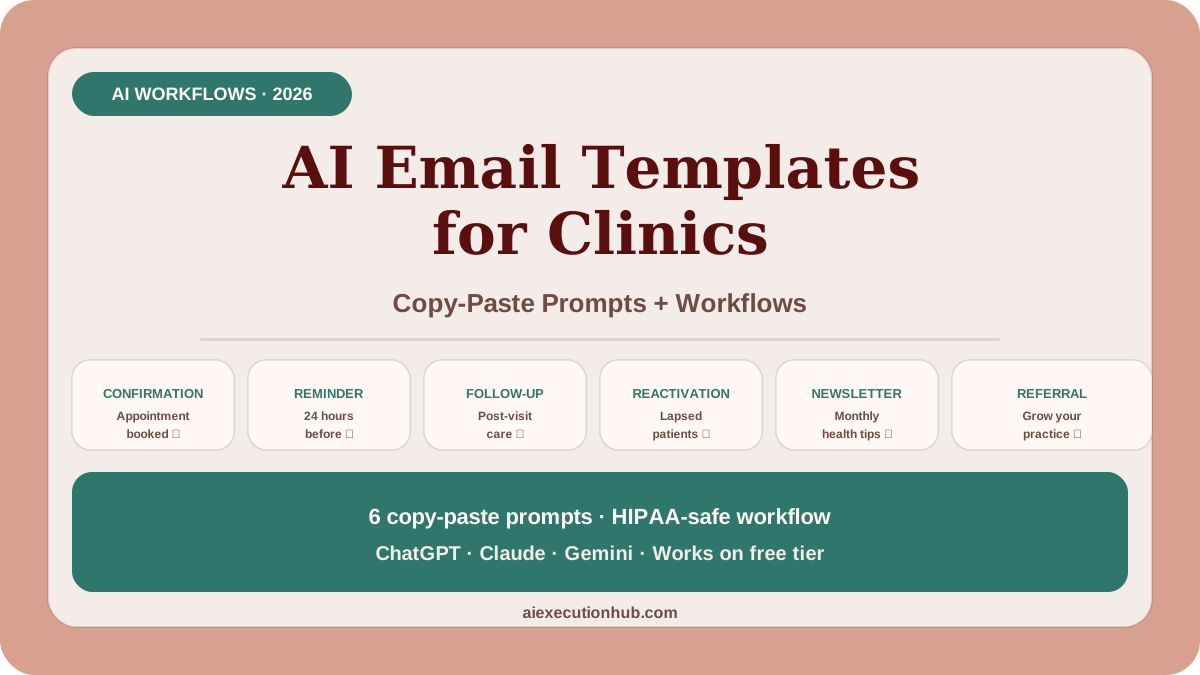
AI email templates can help clinics communicate more consistently, reduce administrative time, and improve patient engagement—when used correctly.
This guide shows you exactly how to use AI tools to create professional clinic email templates for appointments, follow-ups, patient education, billing, and emergency protocols.
The key is understanding what AI can draft safely and what requires human clinical judgment.
Quick answer: what clinic emails can AI help write?
AI can help draft appointment reminders, follow-up care instructions, patient education content, billing explanations, policy updates, seasonal health tips, and administrative communications. All AI-generated content must be reviewed by qualified staff before sending and must never include protected health information in the AI prompt.
Why clinics need better email templates
Most clinic emails fall into one of these problems:
- too generic and impersonal
- inconsistent tone across staff members
- missing important details
- too long or too short
- unclear next steps
- written in a rush
AI email templates solve these problems by providing consistent, professional starting points that staff can customize quickly.
The workflow is simple: prompt → review → personalize → send.
HIPAA compliance and AI email safety rules
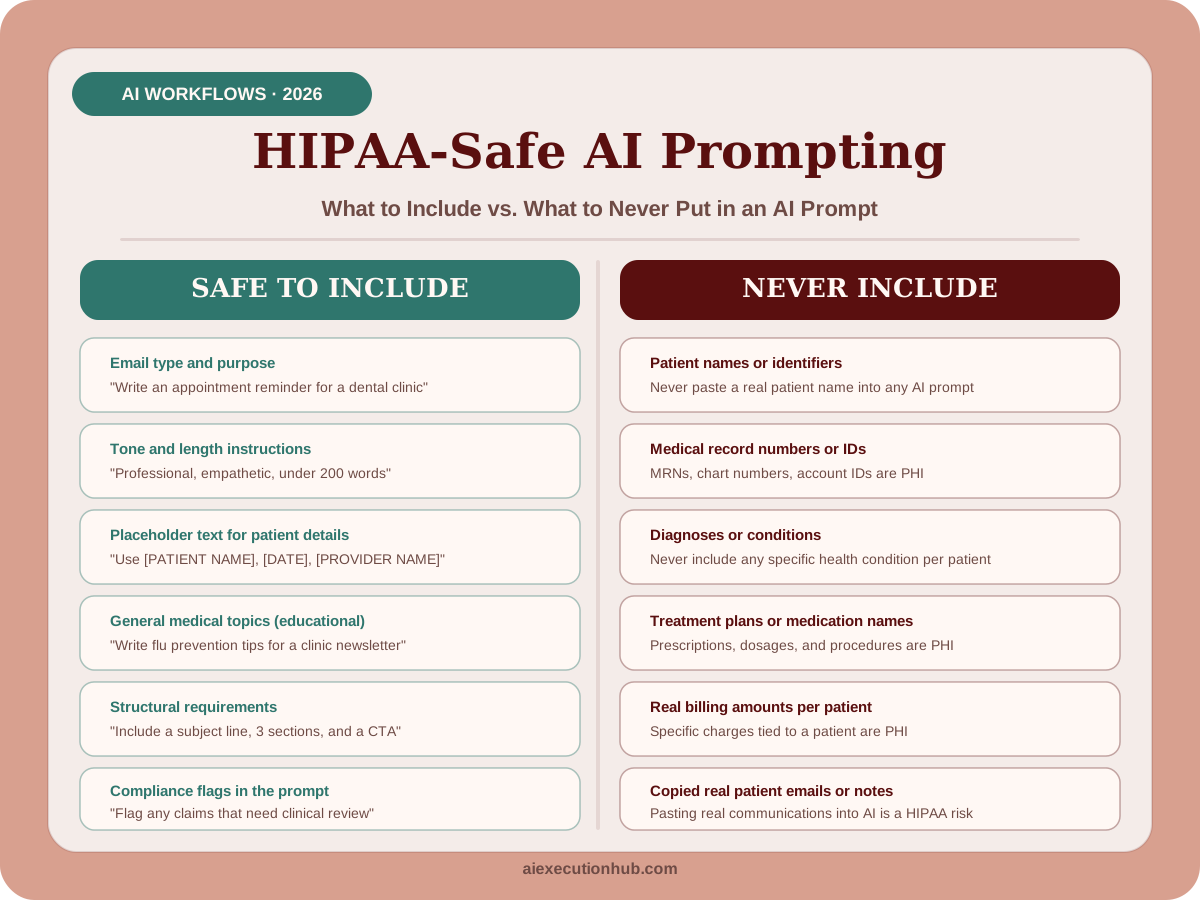
Before using any AI tool for clinic communications, understand these critical safety rules:
Never input into AI prompts:
- patient names
- medical record numbers
- diagnoses or conditions
- treatment details
- appointment dates with patient identifiers
- billing amounts with patient identifiers
- any protected health information (PHI)
Always:
- use placeholder text like [PATIENT NAME] or [CONDITION]
- review all AI output before sending
- have clinical staff verify medical accuracy
- add specific patient details manually after generation
- use HIPAA-compliant email systems for final sending
- train staff on AI tool policies
- document your AI usage protocols
AI is a drafting tool, not a replacement for clinical judgment or privacy compliance.
The clinic email template system
This system organizes clinic emails into six categories:
| Email type | Purpose | AI role | Review level |
|---|---|---|---|
| Appointment reminders | Reduce no-shows | Draft template | Administrative review |
| Follow-up instructions | Post-visit care | Draft template | Clinical review required |
| Patient education | Health information | Draft content | Clinical review required |
| Billing communications | Payment clarity | Draft template | Administrative review |
| Policy updates | Practice changes | Draft announcement | Administrative review |
| Emergency protocols | Urgent situations | Draft template | Clinical + legal review |
Each category has different compliance requirements and review standards.
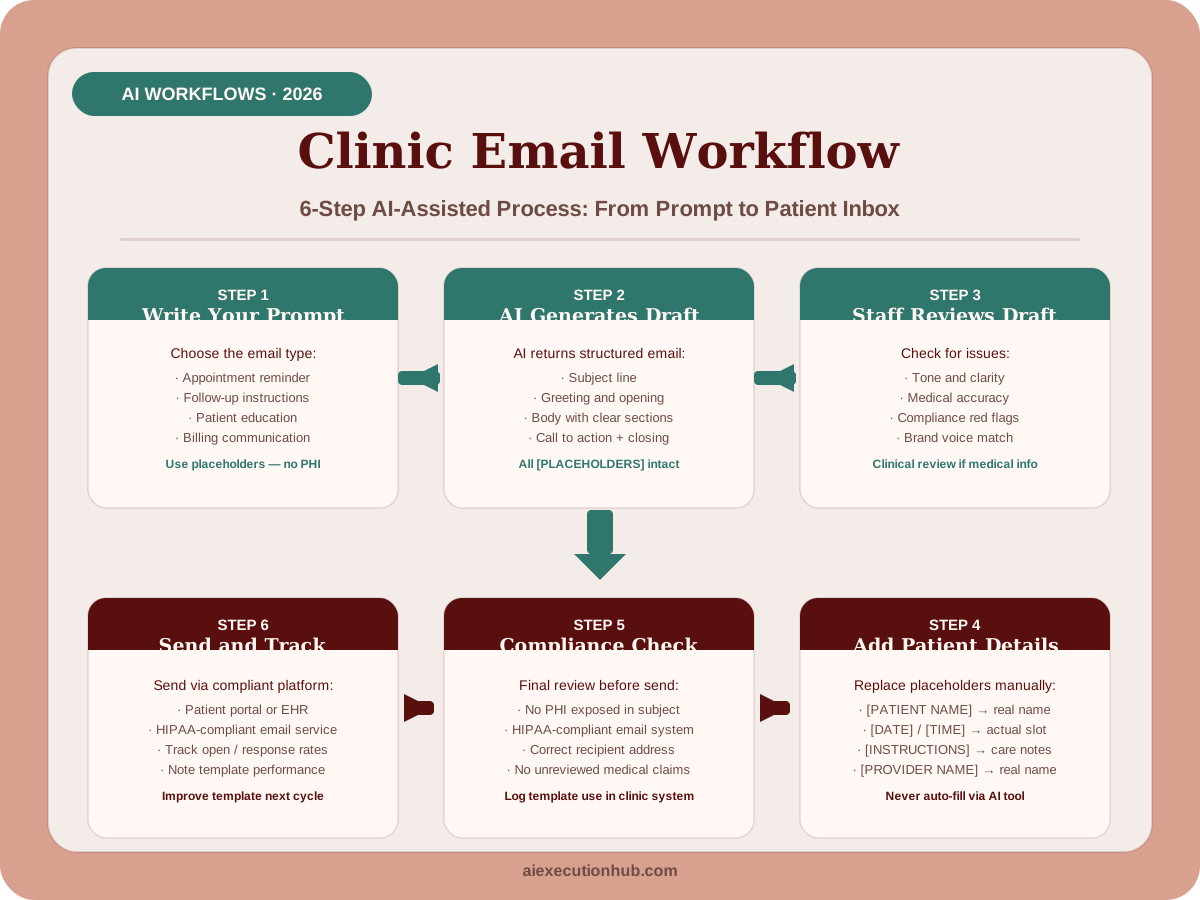
This six-step system covers every stage from writing your first prompt to tracking template performance — with HIPAA compliance built into steps two through five. The beginner AI workflows guide shows how the same prompt-review-output structure applies across other repeatable AI tasks for small businesses and service practices.
1. Appointment reminder email templates
Appointment reminders are the safest starting point for AI email templates because they contain minimal clinical information.
Basic appointment reminder prompt
Write a professional appointment reminder email for a medical clinic with this structure:

- Friendly greeting
- Appointment date and time (use placeholder [DATE] and [TIME])
- Clinic location and parking instructions
- What to bring (insurance card, ID, current medications list)
- Cancellation policy (24-hour notice required)
- Contact information for questions
- Professional closing

Tone: warm, professional, concise
Length: 150-200 words
Sample AI output (edited for clarity)
Subject: Appointment Reminder: [DATE] at [TIME]
Dear [PATIENT NAME],
This is a friendly reminder about your upcoming appointment at [CLINIC NAME].
Appointment Details: Date: [DATE] Time: [TIME] Provider: [PROVIDER NAME] Location: [CLINIC ADDRESS]
Please bring:
- Photo ID
- Insurance card
- Current medications list
- Completed forms (if sent previously)
Parking: Free parking is available in the lot behind our building. Enter from [STREET NAME].
Need to reschedule? Please call us at [PHONE] at least 24 hours before your appointment to avoid a cancellation fee.
We look forward to seeing you. If you have questions before your visit, please call [PHONE] or reply to this email.
Best regards, [CLINIC NAME] Team
Customization options
Ask AI to create variations:
- first-time patient appointment (include what to expect)
- follow-up appointment (reference previous visit)
- telehealth appointment (include video link instructions)
- specialist referral appointment (include records needed)
- procedure appointment (include fasting or prep instructions)
2. Follow-up care instruction templates
Follow-up emails require clinical review because they contain medical guidance.
Post-visit follow-up prompt
Write a post-visit follow-up email template for a medical clinic with this structure:

- Thank patient for visit
- Summarize visit purpose (use placeholder [VISIT REASON])
- Key instructions or next steps (use placeholder [INSTRUCTIONS])
- When to schedule follow-up (use placeholder [TIMEFRAME])
- Warning signs to watch for (use placeholder [WARNING SIGNS])
- Contact information for questions
- Professional closing

Tone: caring, clear, professional
Length: 200-250 words
Include: clear section headers for easy scanning
Sample AI output (edited for clarity)
Subject: Follow-Up: Your Visit on [DATE]
Dear [PATIENT NAME],
Thank you for visiting [CLINIC NAME] on [DATE]. We appreciate the opportunity to care for you.
Visit Summary: You were seen for [VISIT REASON]. [PROVIDER NAME] discussed [BRIEF SUMMARY].
Your Care Instructions: [INSTRUCTIONS - to be filled in by clinical staff]
Follow-Up Appointment: Please schedule a follow-up appointment [TIMEFRAME]. You can call [PHONE] or use our online scheduling system at [LINK].
When to Contact Us: Please call our office if you experience: [WARNING SIGNS - to be filled in by clinical staff]
For urgent concerns after hours, call [AFTER-HOURS NUMBER] or visit the nearest emergency room.
Questions? Our team is here to help. Call [PHONE] during business hours ([HOURS]) or reply to this email.
Take care, [PROVIDER NAME] and the [CLINIC NAME] Team
Important: Clinical staff must fill in the [INSTRUCTIONS] and [WARNING SIGNS] sections with patient-specific medical details before sending.
3. Patient education email templates
Patient education emails help clinics provide consistent health information.
Health education content prompt
Write a patient education email about [TOPIC] for a medical clinic with this structure:

- Engaging subject line
- Brief introduction (why this matters)
- 3-5 key points about [TOPIC]
- Practical action steps patients can take
- When to see a doctor
- Links to trusted resources (use placeholders)
- Invitation to schedule appointment if needed
- Professional closing

Tone: educational, empowering, accessible
Reading level: 8th grade
Length: 300-400 words
Include: clear section headers and bullet points
Example topics for patient education emails
- Seasonal health (flu prevention, allergy management, heat safety)
- Chronic condition management (diabetes care, blood pressure monitoring)
- Preventive care (cancer screenings, vaccinations, annual checkups)
- Lifestyle health (nutrition basics, exercise benefits, sleep hygiene)
- Mental health (stress management, when to seek help)
- Medication safety (proper storage, side effect awareness)
Sample AI output: Flu prevention email (edited for clarity)
Subject: Protect Yourself This Flu Season: What You Need to Know
Dear [CLINIC NAME] Patients,
Flu season is here, and we want to help you stay healthy. Here's what you need to know to protect yourself and your family.
Why Flu Prevention Matters The flu causes thousands of hospitalizations each year. Simple prevention steps can significantly reduce your risk.
5 Ways to Prevent the Flu:
-
Get vaccinated – The flu vaccine is the most effective prevention method. It's not too late to get yours.
-
Wash hands frequently – Use soap and water for at least 20 seconds, especially before eating and after being in public spaces.
-
Avoid touching your face – Germs enter through your eyes, nose, and mouth.
-
Stay home when sick – This protects others and helps you recover faster.
-
Maintain healthy habits – Get enough sleep, stay hydrated, eat nutritious foods, and manage stress.
When to See a Doctor: Contact us if you experience:
- High fever (over 100.4°F)
- Difficulty breathing
- Chest pain
- Severe weakness or dizziness
- Symptoms that improve then suddenly worsen
Schedule Your Flu Vaccine: Call [PHONE] or visit [SCHEDULING LINK] to book your appointment. Most insurance plans cover flu vaccines at no cost.
Trusted Resources:
- CDC Flu Information: [LINK]
- [CLINIC NAME] Flu FAQ: [LINK]
Stay healthy this season. We're here if you need us.
Best regards, [CLINIC NAME] Team
Clinical review required: Have a provider verify all medical information before sending.
4. Billing and payment communication templates
Billing emails benefit from AI templates because they need to be clear, professional, and consistent.
Billing explanation prompt
Write a billing explanation email for a medical clinic with this structure:

- Professional greeting
- Clear statement of purpose
- Explanation of charges (use placeholders)
- Insurance processing explanation
- Payment options and deadlines
- Contact information for billing questions
- Reassuring tone about working with patients
- Professional closing

Tone: professional, clear, empathetic
Length: 200-250 words
Avoid: medical jargon, aggressive language
Sample AI output (edited for clarity)
Subject: Your Recent Visit: Billing Information
Dear [PATIENT NAME],
Thank you for choosing [CLINIC NAME] for your healthcare needs. This email explains the charges from your recent visit on [DATE].
Your Bill Summary: Total charges: [AMOUNT] Insurance payment: [AMOUNT] Your responsibility: [AMOUNT]
Understanding Your Bill: We filed a claim with your insurance company, [INSURANCE NAME]. The amount shown as "your responsibility" is based on your plan's coverage, deductible, and copayment requirements.
Payment Options:
- Online: Visit [PAYMENT PORTAL LINK]
- Phone: Call [BILLING PHONE] with credit/debit card
- Mail: Send check to [BILLING ADDRESS]
- In person: Visit our office during business hours
Payment due: [DUE DATE]
Questions About Your Bill? Our billing team is happy to help explain your charges or discuss payment arrangements. Call [BILLING PHONE] Monday-Friday, [HOURS].
Need a Payment Plan? We offer flexible payment plans for patients who need them. Please contact our billing office to discuss options.
We're committed to making healthcare affordable and transparent. Don't hesitate to reach out with questions.
Best regards, [CLINIC NAME] Billing Department
5. Policy update and announcement templates
Policy updates need to be clear and professional without sounding bureaucratic.
Policy announcement prompt
Write a policy update email for a medical clinic announcing [POLICY CHANGE] with this structure:

- Clear subject line stating the change
- Brief explanation of what's changing
- Why the change is happening (patient benefit focus)
- Effective date
- What patients need to do (if anything)
- Contact information for questions
- Positive, professional closing

Tone: professional, transparent, patient-focused
Length: 150-200 words
Example policy update topics
- New patient portal features
- Updated office hours
- Telehealth availability
- Insurance changes
- Appointment scheduling changes
- COVID-19 protocols
- New services offered
- Staff introductions
6. Emergency and urgent communication templates
Emergency communications require the highest level of review and should be pre-approved by clinical and legal teams.
Urgent health alert prompt
Write an urgent health alert email for a medical clinic about [SITUATION] with this structure:

- Clear, urgent subject line
- Immediate action needed (if applicable)
- Explanation of the situation
- What patients should do
- Contact information for questions
- Reassurance about clinic response
- Professional closing

Tone: urgent but calm, clear, authoritative
Length: 150-200 words
Avoid: panic language, speculation
When to use urgent communication templates
- Disease outbreak affecting patients
- Medication recall affecting prescribed drugs
- Clinic closure due to emergency
- Data breach notification (requires legal review)
- Natural disaster response
- Public health emergency
Critical: All emergency communications must be reviewed by clinical leadership and legal counsel before sending.
AI prompt templates for clinic email workflows
Use these prompt frameworks to generate custom clinic email templates:
Framework 1: Appointment-related emails
Write a [TYPE] email for a medical clinic:

Type: [appointment reminder / confirmation / cancellation / rescheduling]
Tone: [professional / warm / urgent]
Include: [specific elements needed]
Length: [word count]
Special instructions: [any specific requirements]
Framework 2: Patient care emails
Write a patient care email for a clinic about [TOPIC]:

Purpose: [inform / educate / follow up / remind]
Audience: [all patients / specific condition / age group]
Key message: [main point to communicate]
Call to action: [what you want patients to do]
Tone: [caring / educational / professional]
Length: [word count]
Clinical review required: Yes
Framework 3: Administrative emails
Write an administrative email for a medical clinic:

Topic: [billing / policy / announcement / update]
Purpose: [inform / explain / request action]
Key details: [what needs to be communicated]
Tone: [professional / friendly / formal]
Length: [word count]
Include: [contact information / deadlines / next steps]
The same prompt-structure approach that makes clinic email templates reusable also applies across other content types. The AI content workflow for beginners covers how to apply this structured-prompt method to blog posts, outlines, and educational content — the same discipline transfers directly to patient-facing writing.
Best practices for AI clinic email templates
Follow these guidelines for safe, effective AI email use:
Before generating:
- Define the email purpose clearly
- Identify required review level (administrative vs. clinical)
- Prepare placeholder text for patient-specific information
- Check that no PHI will be included in prompts
During generation:
- Use specific, detailed prompts
- Request appropriate tone and length
- Ask for clear structure with headers
- Generate multiple variations if needed
After generation:
- Review for medical accuracy (clinical staff)
- Check for compliance issues (administrative staff)
- Verify tone matches clinic brand
- Add patient-specific details manually
- Test email formatting before sending
- Document template in clinic system
Ongoing:
- Track which templates work best
- Update templates based on patient feedback
- Train new staff on AI email protocols
- Review compliance regularly
- Keep templates organized and accessible
Common mistakes to avoid
Avoid these AI email template mistakes:
Privacy violations:
- Including patient names or details in AI prompts
- Copying real patient emails into AI tools
- Storing PHI in AI tool history
Clinical errors:
- Sending medical advice without clinical review
- Using AI-generated medical information without verification
- Skipping required review steps
Communication problems:
- Using overly formal or robotic language
- Making emails too long
- Forgetting clear calls to action
- Not personalizing before sending
Process failures:
- No documentation of AI usage
- Inconsistent review protocols
- Staff not trained on AI tools
- Templates not updated regularly
Tools for clinic email automation
Once you have AI-generated templates, these tools can help with sending and tracking:
Email platforms:
- Practice management system email features
- HIPAA-compliant email services
- Patient portal messaging systems
- Automated appointment reminder services
Template management:
- Document storage (Google Docs, Microsoft Word)
- Practice management system templates
- Email template libraries
- Staff training documentation
Tracking and improvement:
- Email open rates (if available)
- Patient response rates
- No-show rate changes
- Patient satisfaction surveys
Choose tools that integrate with your existing practice management system and meet HIPAA requirements.
Measuring email template effectiveness
Track these metrics to improve your clinic email system:
Appointment emails:
- No-show rate before and after template implementation
- Patient confirmation rate
- Cancellation notice timing improvement
Follow-up emails:
- Patient compliance with instructions
- Follow-up appointment scheduling rate
- Reduction in after-hours calls with questions
Education emails:
- Email open rates
- Click-through rates to resources
- Patient feedback
- Preventive care appointment increases
Billing emails:
- Payment timing improvement
- Reduction in billing questions
- Payment plan request rate
Overall:
- Staff time saved on email writing
- Consistency of communication
- Patient satisfaction scores
- Reduction in communication errors
Sample clinic email template library structure
Organize your AI-generated templates in this structure:
Clinic Email Templates/
├── Appointment Communications/
│   ├── New patient appointment reminder
│   ├── Returning patient appointment reminder
│   ├── Telehealth appointment instructions
│   ├── Procedure appointment prep
│   ├── Appointment confirmation
│   └── Cancellation/rescheduling
├── Follow-Up Care/
│   ├── General post-visit follow-up
│   ├── Procedure follow-up
│   ├── Lab results notification
│   ├── Prescription refill instructions
│   └── Referral follow-up
├── Patient Education/
│   ├── Seasonal health (flu, allergies, heat safety)
│   ├── Chronic condition management
│   ├── Preventive care reminders
│   ├── Lifestyle health tips
│   └── Mental health resources
├── Billing Communications/
│   ├── Bill explanation
│   ├── Payment reminder
│   ├── Payment plan information
│   ├── Insurance claim status
│   └── Financial assistance information
├── Administrative/
│   ├── Policy updates
│   ├── New services announcement
│   ├── Staff introductions
│   ├── Office hours changes
│   └── Patient portal instructions
└── Emergency Protocols/
    ├── Urgent health alerts
    ├── Clinic closure notifications
    ├── Weather-related updates
    └── Public health emergencies
Each template should include:
- Template name and purpose
- Required review level
- Placeholder locations
- Customization instructions
- Last updated date
- Approval status
Implementation roadmap for clinics
Follow this phased approach to implement AI email templates safely:
Phase 1: Foundation (Week 1-2)
- Document current email types and frequency
- Establish HIPAA compliance protocols for AI use
- Choose AI tool and set up access controls
- Train core team on AI email safety rules
Phase 2: Template Creation (Week 3-4)
- Generate appointment reminder templates
- Create administrative email templates
- Develop billing communication templates
- Establish review and approval workflow
Phase 3: Clinical Templates (Week 5-6)
- Generate follow-up care templates (with clinical review)
- Create patient education templates (with clinical review)
- Develop emergency protocol templates (with legal review)
- Test templates with small patient group
Phase 4: Full Implementation (Week 7-8)
- Train all staff on template system
- Integrate templates into practice management system
- Launch full template library
- Establish feedback collection process
Phase 5: Optimization (Ongoing)
- Track effectiveness metrics
- Update templates based on feedback
- Add new templates as communication needs evolve
- Review compliance quarterly
For a wider view of how AI workflow systems apply across your entire practice operations, the ultimate AI blogging system covers the same structured approach — brief, draft, review, publish — that scales equally well to internal and external communications.
FAQ about AI email templates for clinics
Can clinics legally use AI to write patient emails?
Yes, clinics can use AI to draft patient emails, but all communications must be reviewed by qualified staff before sending, comply with HIPAA privacy rules, and never include protected health information in AI prompts.
What types of clinic emails can AI help write?
AI can help draft appointment reminders, follow-up instructions, patient education content, billing explanations, policy updates, seasonal health tips, and administrative communications.
How do I make AI email templates sound professional for a medical practice?
Use clear prompts that specify tone (professional, empathetic, concise), include your clinic's voice guidelines, request medical accuracy review flags, and always have clinical staff review before sending.
Are AI-generated clinic emails HIPAA compliant?
AI tools themselves are not automatically HIPAA compliant. Never input patient names, medical record numbers, diagnoses, or protected health information into AI prompts. Use placeholder text and add specific details manually after generation.
What placeholder format should clinic email templates use?
Use square-bracket placeholders like [PATIENT NAME], [DATE], [PROVIDER NAME], and [INSTRUCTIONS]. These make it clear where staff must manually fill in patient-specific details before sending.
How long does it take to implement an AI email template system for a clinic?
A basic appointment reminder template system can be ready in one to two weeks. A full library covering appointments, follow-ups, billing, and education typically takes four to eight weeks with proper review and staff training.
Which AI tools work best for clinic email templates?
ChatGPT, Claude, and Gemini all work well for drafting clinic email templates on free or low-cost tiers. The tool matters less than the prompt structure and the human review step before sending.
Do small clinics need a different AI email approach than large practices?
Small clinics benefit most from starting with appointment reminders and one follow-up template. Larger practices with dedicated admin staff can build full libraries covering all six email categories more quickly.
Next steps
Start with appointment reminder templates because they have the lowest compliance risk and immediate measurable impact on no-show rates.
Use the prompts in this guide to generate your first three templates:
- Basic appointment reminder
- Appointment confirmation
- Cancellation policy explanation
Review each template with your administrative team, customize for your clinic's voice, and test with a small group of patients before full implementation.
For the meta-writing layer — generating subject lines, meta descriptions, and SEO titles for any content your clinic publishes — the guide to automating Yoast SEO meta with AI gives copy-paste prompt templates that apply the same placeholder discipline used in this guide.
If you want to turn AI workflow skills like these into a broader income system, First $100 With AI shows how to move from repeatable AI skills to a practical first offer and revenue plan.
Related AI systems
Continue with connected AI workflow guides.
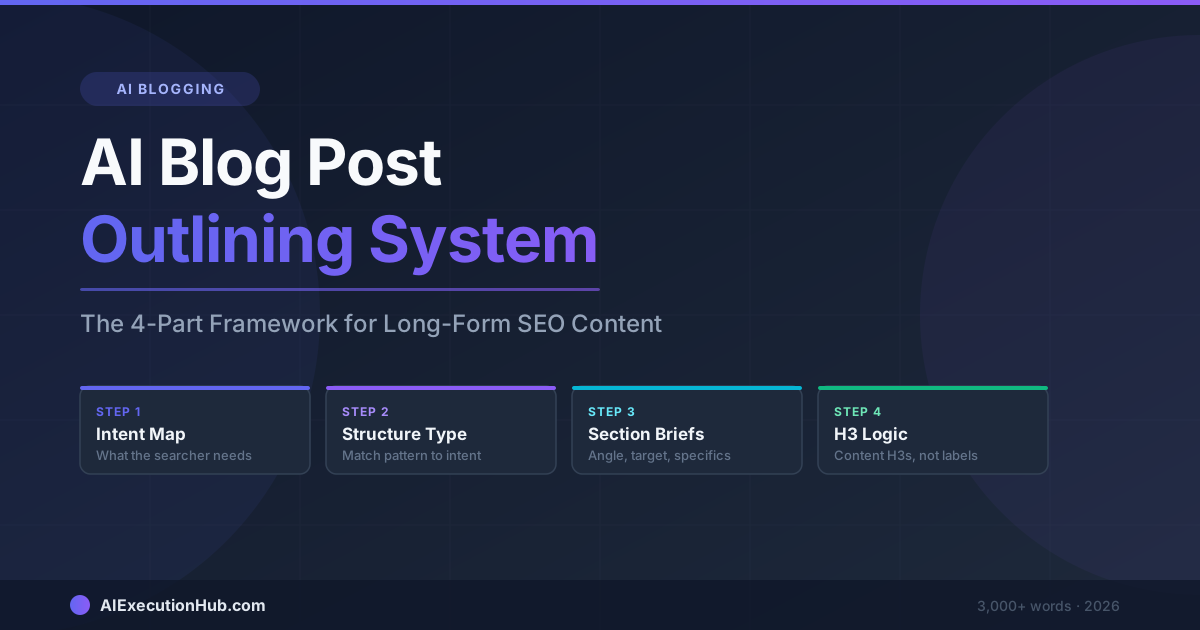
AI Blog Post Outlining System: The 4-Part Framework for Long-Form SEO Content
A practical AI blog post outlining system that structures long-form SEO content before drafting — 4 steps from keyword intent to section briefs that write themselves.
Claude vs ChatGPT for SEO Blogging: A Task-by-Task Verdict
Claude vs ChatGPT for SEO blogging — a task-by-task breakdown of which AI wins for outlines, meta descriptions, tone editing, internal linking, and more.
AI Content Calendar for Niche Sites: A Practical Planning System
Build an AI content calendar for your niche site — keyword clustering, publishing cadence, seasonal timing, and a repeatable monthly planning system.