AI Blogging
AI Content Calendar for Niche Sites: A Practical Planning System
Build an AI content calendar for your niche site — keyword clustering, publishing cadence, seasonal timing, and a repeatable monthly planning system.
Most niche site owners have a list of post ideas somewhere. A notes app, a spreadsheet, maybe a Notion doc with 40 keywords they never touched.
The list is not the problem. The problem is that a list has no sequence, no timing, and no structure. Publishing from a list is random. Random publishing does not build topical authority.
An AI content calendar turns a keyword list into a publishing system — with clusters, sequencing, seasonal timing, and a monthly planning cadence you can run in under two hours. This guide covers how to build and operate one.
What is an AI content calendar for a niche site?
An AI content calendar is a structured publishing schedule that assigns keywords to publication dates, groups posts into topic clusters, and uses AI to accelerate the planning, briefing, and drafting steps. The calendar's job is to make sure every post you publish is connected to others, timed correctly, and moves your site toward topical authority in a specific niche — rather than adding isolated pages that do not reinforce each other.
Why random publishing stalls niche sites
Publishing without a plan produces three problems that compound over time.
Topic scatter. A site that covers twenty loosely related subtopics across twenty posts has shallow coverage of each. Search engines use topical depth as a relevance signal. A site with eight tightly clustered posts on one subtopic will outrank a site with thirty scattered posts every time, for keywords in that subtopic.
Orphan posts. Posts published without a plan rarely get linked to from other posts. An orphaned post — one with no internal links pointing to it — is harder for search engines to discover and harder for readers to find. Most of the value of that post is stranded.
No seasonal leverage. Niche sites that plan ahead can publish seasonal content four to six weeks before a traffic window opens. Sites that publish reactively miss the window entirely. An AI content calendar maps seasonal peaks to the publishing schedule so seasonal posts index before they matter.
Inconsistent cadence. Four posts one month, zero the next, then two, then seven. Inconsistent publishing makes it harder to build momentum and harder to set reader expectations. A calendar creates a commitment to a cadence, not just a list of ideas.
The four components of a working niche site calendar
1. Keyword clusters
A keyword cluster is a group of related keywords centered on one main topic. The cluster has one pillar post — a comprehensive guide on the broad topic — and three to six supporting posts that cover specific subtopics in depth.
Example for a niche site in the AI tools space:
Pillar: "best AI tools for bloggers" Supporting posts:
- "AI tools for keyword research"
- "AI writing tools compared: ChatGPT vs Claude vs Gemini"
- "free AI tools for beginner bloggers"
- "AI image tools for blog thumbnails"
- "how to use AI tools without losing your voice"
Each supporting post is a full, standalone post that answers a specific question. Each one links back to the pillar. The pillar links out to all of them. Together they signal deep topical coverage.
Build your calendar around clusters, not individual posts. Every post you add should belong to a cluster.
2. Publishing sequence
Within a cluster, publish supporting posts before the pillar. The pillar links to supporting posts — if the supporting posts do not exist when the pillar goes live, those links go nowhere.
Correct sequence:
- Supporting post 1
- Supporting post 2
- Supporting post 3
- Pillar post (now links to all three supporting posts above)
- Supporting post 4 (links back to live pillar)
This sequencing also means the pillar accumulates internal links from the moment it publishes, rather than starting as an orphan.
3. Seasonal timing
Seasonal content needs a six-week runway. A post published the week it becomes relevant has not had time to index and rank. A post published six weeks early is indexed, linked, and ready when the traffic window opens.
Map seasonal peaks for your niche at the start of each quarter. For an AI tools niche, common peaks include:
- January: "new year productivity tools," "start a blog in [year]" searches
- September: back-to-school workflows and study tool searches
- November: Black Friday deals content for tool roundups
Add these to the calendar with publish dates six weeks before each peak.
4. Cadence
Pick a cadence you can maintain with full editing passes — not the maximum number of posts you could theoretically produce. For most niche site operators working alone or with a small team, two to four posts per month is the right range.
Two well-edited posts per month at consistent cadence will build more authority than eight rushed posts followed by two months of nothing.
How to build the calendar with AI
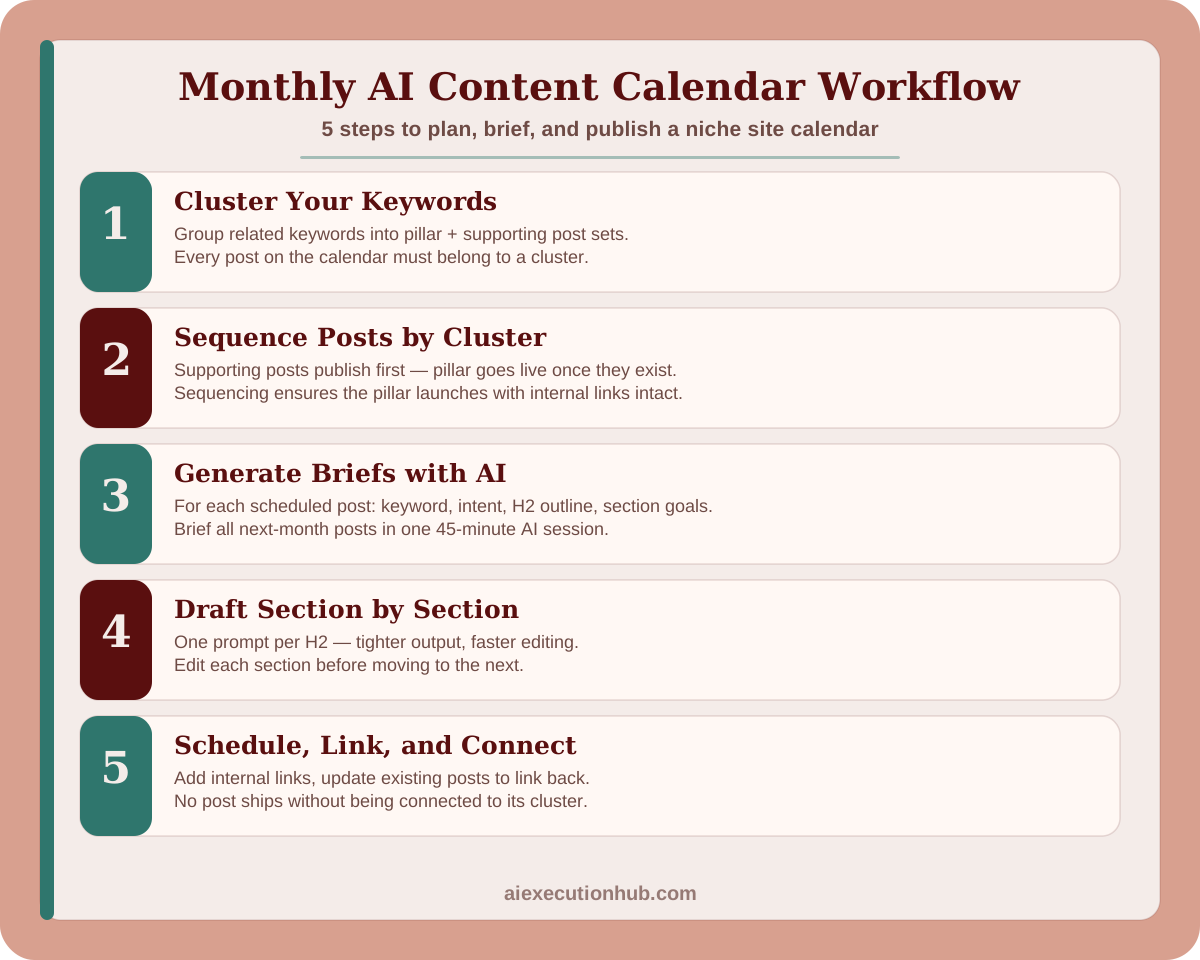
Step 1: Cluster your keyword list
If you have a keyword list already, paste it into your AI tool and ask it to group keywords by topic. The prompt is simple:
"Here is a list of keywords for a niche site about [topic]. Group them into clusters of related keywords. For each cluster, identify the one keyword that would make the best pillar post and label the rest as supporting posts."
Review the output and adjust. AI will sometimes group keywords that belong in separate clusters, or miss a connection you can see. The clusters it produces are a starting point, not a final answer.
If you do not have a keyword list, start with your niche's core topic and run it through Google autocomplete, People Also Ask, and the "related searches" section at the bottom of a results page. Collect 20–30 keyword phrases before clustering.
Step 2: Assign posts to months
Map each cluster to a month. Within the month, sequence the posts: supporting posts first, then the pillar. Assign one keyword per post slot. Do not leave slots without a keyword assigned — a slot without a keyword is not a plan, it is a blank.
A three-month calendar for a two-posts-per-month cadence looks like:
| Month | Post 1 | Post 2 |
|---|---|---|
| Month 1 | Supporting: "AI tools for keyword research" | Supporting: "free AI tools for beginner bloggers" |
| Month 2 | Supporting: "AI writing tools compared" | Pillar: "best AI tools for bloggers" |
| Month 3 | Supporting: "AI image tools for blog thumbnails" | Supporting: "how to use AI tools without losing your voice" |
The pillar goes live in Month 2 with two supporting posts already published and linking to it.
Step 3: Generate briefs with AI
For each scheduled post, generate a brief before the production month begins. A brief is a one-page document containing: the target keyword, the search intent, the proposed H2 structure, and the key questions each section should answer.
Prompt for generating a brief:
"Write a content brief for a blog post targeting the keyword '[keyword]'. Include: search intent (what the reader wants), a proposed H2/H3 outline with 4–6 sections, and one key question each section should answer. Niche: [your niche]. Audience: [beginner / intermediate / advanced]."
Generate all briefs for the upcoming month in one session. With AI, briefing four posts takes about 45 minutes total.
Store briefs in a shared doc or Notion database. When production week arrives, the brief is already done — you go straight to outline and draft.
Step 4: Draft one post at a time
With a brief ready, draft each post section by section using focused prompts. The section-by-section method — one prompt per H2 — produces tighter, more editable output than asking AI for a full 2,000-word draft in one shot.
For each section, feed AI the brief's section goal and the reader context. Edit each section before moving to the next. This way, the full draft is already partially edited by the time you reach the end.
A detailed section-by-section drafting process is covered in the AI blogging workflow for beginners guide, including the exact prompt structure for each section type.
Step 5: Schedule and connect
Before each post publishes, do three things:
- Add internal links from the new post to 3–5 existing posts
- Update 1–2 already-published posts to link back to the new one
- Confirm the post is connected to its cluster (links to the pillar, or links to supporting posts if it is the pillar)
Internal linking is a calendar discipline, not just an on-page task. Building it into the publish checklist ensures no post ships as an orphan.
The monthly planning session
Run a 90-minute planning session at the start of each month. The agenda:
First 30 minutes — review and refresh
- Check the previous month's posts for ranking movement
- Note which posts are getting traction and could use a supporting post added to their cluster
- Flag any posts that published without being connected to a cluster (add them to one)
Next 30 minutes — next month's calendar
- Confirm the two to four posts scheduled for next month
- Review their briefs or generate them if not done
- Check seasonal relevance — are any upcoming posts tied to a traffic window that requires earlier publishing?
Final 30 minutes — AI briefing sprint
- Generate or refine briefs for all next-month posts
- Create outlines for the first post of the month so production can start immediately
- Add all posts to your scheduling tool with draft-due dates assigned
After the planning session, you have: a confirmed schedule, complete briefs, and the first post outlined. Production starts from a running start, not from a blank page.
Content calendar template
Copy this structure into a spreadsheet or Notion board:
| Field | Description |
|---|---|
| Post title | Working title with keyword included |
| Target keyword | Primary keyword (one per post) |
| Cluster | Which cluster this post belongs to |
| Post type | Pillar or supporting |
| Brief status | Not started / In progress / Done |
| Draft due | Date draft should be complete |
| Edit due | Date editing pass should finish |
| Publish date | Scheduled publish date |
| Internal links added | Yes / No |
| Connected to cluster | Yes / No |
Track every post in this table. At a glance you can see which posts are behind schedule, which are missing briefs, and which have not been connected to their cluster.
Scaling the calendar
Once the basic two-to-four post cadence is running consistently, scale by adding clusters rather than increasing post frequency.
Adding a new cluster means: identify a related subtopic your current content does not cover, plan a new pillar plus three to four supporting posts, and insert them into the calendar over the next one to two months. Your topical authority expands into adjacent territory rather than deepening the same cluster indefinitely.
Do not scale cadence before quality is consistent. Eight posts a month with thin content is worse than four posts a month with full editing passes. The signal that you are ready to scale is that your current cadence feels routine — planning and production are running without friction.
For the full 16-stage system that connects keyword research, clustering, drafting, editing, SEO optimization, internal linking, and monetization, the Ultimate AI Blogging System (2026 Edition) covers every stage in detail.
Common calendar mistakes
Planning posts without assigning them to a cluster. A post without a cluster is a post that will not build topical authority. Every post on the calendar should belong to a cluster before it gets scheduled.
Publishing the pillar before the supporting posts. The pillar needs supporting posts to link to when it goes live. Reverse the sequence and the pillar launches as an orphan.
Generating briefs but skipping the review step. AI briefs sometimes miss the actual search intent, propose the wrong H2 structure, or target a keyword the post cannot competitively rank for. Review every brief before it drives production.
Treating the calendar as a commitment to quantity. The calendar is a commitment to quality at a consistent cadence. If a post is not ready to publish at the scheduled quality bar, push the date — do not lower the bar.
Skipping the monthly planning session. A calendar without a review loop drifts. Posts go live disconnected from clusters, seasonal windows get missed, and the schedule starts reflecting inertia rather than strategy. The 90-minute session is what keeps the calendar active rather than just a list with dates.
FAQ: AI content calendar for niche sites
What is an AI content calendar for a niche site?
An AI content calendar for a niche site is a structured publishing schedule that maps keywords to publication dates, groups posts by topic cluster, and uses AI to speed up the planning, briefing, and drafting steps. It turns scattered post ideas into a coordinated system that builds topical authority over time.
How many posts should a niche site publish per month?
For a new niche site, two to four posts per month is enough to build topical authority without sacrificing quality. Publishing more than you can edit well produces thin content that hurts rankings. Four well-edited posts will outperform twelve rushed ones every time.
How do I build a content calendar with AI?
Build an AI content calendar by first clustering your target keywords by topic, then assigning one keyword per post slot, sequencing posts so supporting articles publish before the pillar they link to, and using AI to generate briefs, outlines, and draft sections for each scheduled post.
What is a content cluster in a niche site calendar?
A content cluster groups a pillar post — a comprehensive guide on a broad topic — with several supporting posts that cover related subtopics in detail. Each supporting post links back to the pillar. Clusters help search engines understand topical depth and distribute authority across related pages.
Should I use AI to plan my entire content calendar?
Use AI for the mechanical parts of calendar planning: generating keyword variations, writing post briefs, drafting outlines, and scheduling suggestions. Keep strategic decisions — which topics to prioritize, which clusters match your audience, when to refresh versus create — under human control.
How far ahead should I plan a niche site content calendar?
Plan 90 days ahead for topic clusters and keyword assignments. Keep the next 30 days fully briefed with outlines ready. Planning beyond 90 days is usually wasted work — keyword opportunities shift, seasonal windows open and close, and early posts reveal which topics your audience actually engages with.
How do I find keywords for a niche site content calendar?
Start with your core niche topic and use Google autocomplete, People Also Ask, and related searches to build a keyword list. Group similar keywords into topic clusters. Pick the one with clearest search intent and lowest competition for each cluster's pillar post, then assign supporting keywords to individual posts.
How does a content calendar help SEO for niche sites?
A content calendar improves SEO by ensuring posts are published in a logical sequence — supporting articles before the pillar, seasonal content before the seasonal window — and by making internal linking deliberate rather than accidental. Planned clusters build topical authority faster than random publishing.
Next steps
The calendar system here handles planning. The post production side — section-by-section drafting, the editing checklist, and on-page SEO optimization — is covered step by step in the AI blogging workflow for beginners guide.
If you are already publishing consistently and want to connect your content output to a first income stream, the First $100 With AI ebook maps the specific monetization steps most niche site guides skip — from content to first sale.
Related AI systems
Continue with connected AI workflow guides.
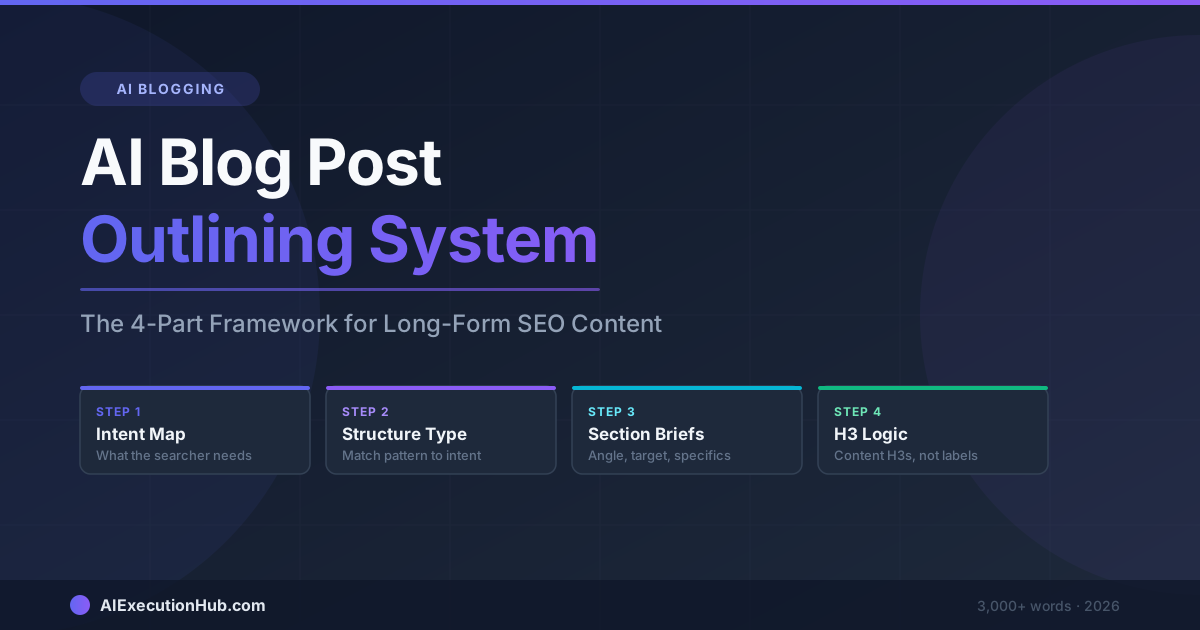
AI Blog Post Outlining System: The 4-Part Framework for Long-Form SEO Content
A practical AI blog post outlining system that structures long-form SEO content before drafting — 4 steps from keyword intent to section briefs that write themselves.
Claude vs ChatGPT for SEO Blogging: A Task-by-Task Verdict
Claude vs ChatGPT for SEO blogging — a task-by-task breakdown of which AI wins for outlines, meta descriptions, tone editing, internal linking, and more.
How to Humanize AI Content for SEO
Learn how to humanize AI content for SEO with a practical editing workflow that satisfies Google's helpful content signal — no bypass tools needed.