AI Blogging
Claude vs ChatGPT for SEO Blogging: A Task-by-Task Verdict
Claude vs ChatGPT for SEO blogging — a task-by-task breakdown of which AI wins for outlines, meta descriptions, tone editing, internal linking, and more.
Most comparisons of Claude vs ChatGPT for SEO blogging end in the same place: "both are good tools, it depends on your use case."
That is not useful.
You are not choosing a general-purpose AI assistant. You are trying to produce blog posts that rank, earn clicks, and build topical authority on a specific niche site. The question is not which tool is technically more impressive. The question is which tool does each specific SEO blogging job better — outlines, drafts, meta descriptions, tone editing, internal linking, keyword ideation — and where the differences are large enough to matter.
This guide gives you a verdict for each task, not a balanced non-answer.
Quick verdict: which tool wins overall?
For SEO blogging specifically, Claude is the better drafting and editing tool. It produces longer coherent drafts, maintains consistent tone across sections, and writes with less padding. ChatGPT is faster for variation-heavy tasks: generating title options, meta description sets, keyword lists, and short-form outputs where you want five options to choose from rather than one polished result.
The practical workflow for most bloggers is not a choice between them — it is using each tool at the stage where it has a real advantage.
What each tool actually does well
Before the task breakdown, here is the honest picture of where each tool's strengths come from.
Claude's strengths for SEO blogging:
- Long-form coherence — the voice and structure stay consistent across 2,000+ word drafts
- Tighter paragraph construction — fewer filler sentences that exist only to pad word count
- Better instruction-following for complex editorial prompts ("rewrite this section to be more specific, remove the hedged conclusions, and add a concrete example")
- Stronger performance on nuanced editing tasks like humanizing AI-drafted text or adjusting reading level
ChatGPT's strengths for SEO blogging:
- Faster at generating multiple variations in one response
- Better at short-form structured outputs: bullet lists, comparison tables, numbered steps
- Wider plugin and integration ecosystem for bloggers using tools like Surfer SEO, Zapier, or browser-based workflows
- More predictable output format — useful when you need consistent structure across many posts quickly
Neither tool is right about everything. Both require editing. The question is where each saves you the most time.
Task-by-task verdict
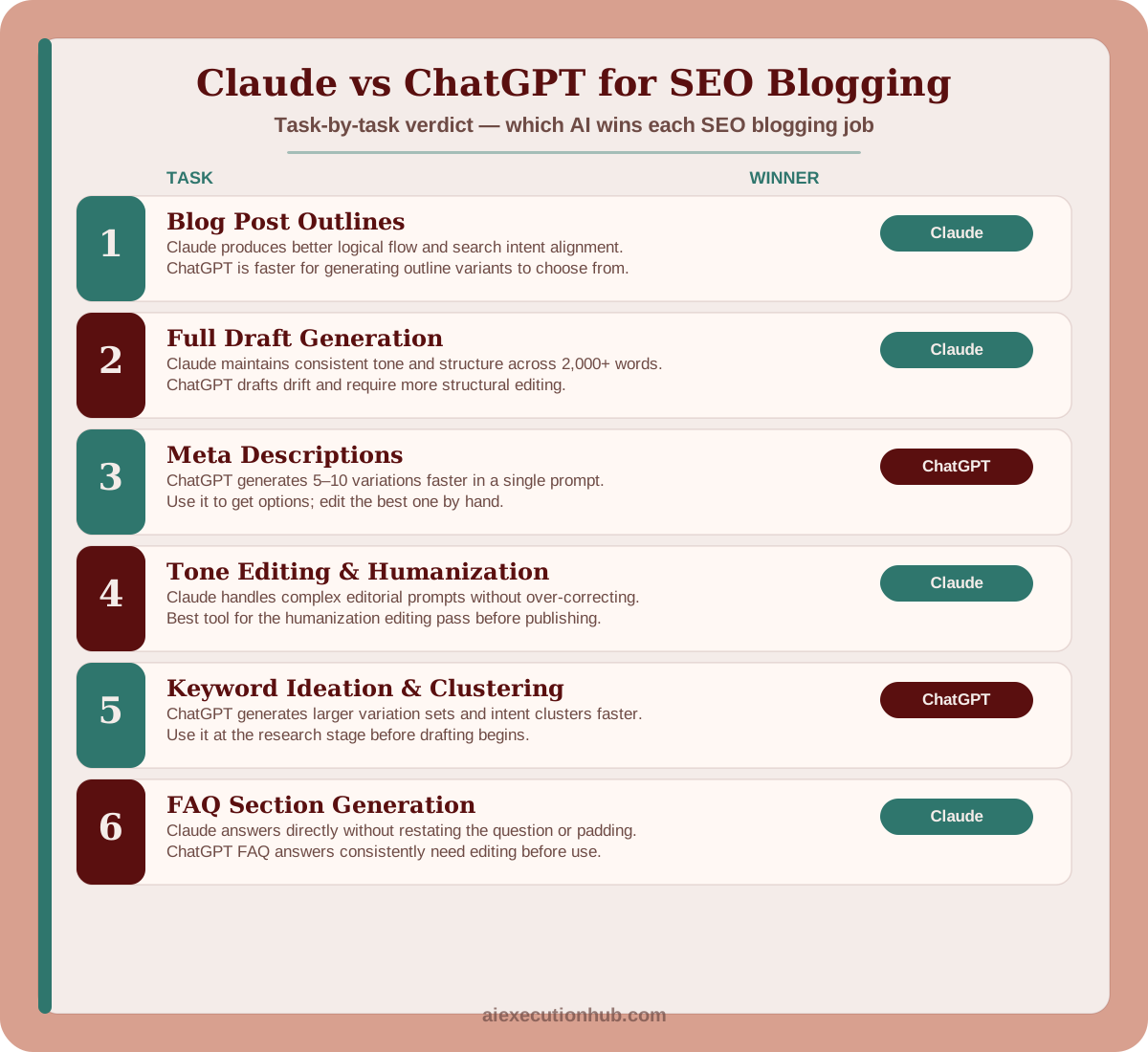
1. Blog post outlines
Winner: Claude
Claude produces outlines with better logical flow between sections and stronger search intent alignment. A Claude outline for a commercial-intent keyword like "best AI tools for bloggers" will naturally structure itself around decision criteria — what to look for, how to evaluate, task-specific picks — rather than defaulting to a generic "what is / why use / top 5 / conclusion" skeleton.
ChatGPT outlines are faster to regenerate with variations ("give me 5 different outline structures for this keyword") which is useful early in research. But for the outline you will actually draft from, Claude's version requires less manual restructuring.
Practical tip: use ChatGPT to generate three outline variants in one prompt when you are unsure of the best angle, then use Claude to build out the version you choose.
For the full outlining system that sits upstream of the tool choice — intent mapping, structure selection, section briefs, and H3 logic — the AI blog post outlining system covers the four-part framework that gives either tool enough context to produce an outline worth drafting from.
2. Full draft generation
Winner: Claude
For posts over 1,000 words, Claude maintains tone and argument consistency better across the full draft. ChatGPT drafts tend to drift — the writing style in section four is noticeably different from section one, often becoming more generic and padded as the draft progresses.
Claude drafts also tend to cut faster. The padding patterns are less severe, which means the editing pass is shorter. A 2,000-word Claude draft might need 300 words cut. The same length ChatGPT draft often needs 500–600 words removed before the structure is tight.
The caveat: both tools produce drafts that require editing. Claude giving you a better first draft does not mean you skip the editorial pass — it means the pass takes less time.
3. Meta descriptions
Winner: ChatGPT
This is the clearest win for ChatGPT in a blogging workflow. For meta descriptions, you want five to ten options with different hooks — benefit-led, question-led, urgency-led — so you can choose the one that best matches the post's angle and fits the 150–160 character limit.
ChatGPT generates variation sets faster and with more usable diversity. Claude writes a tighter individual meta description, but prompting it five times for variations is slower than one ChatGPT prompt that returns ten options.
For meta descriptions, use ChatGPT. Pick two or three candidates and edit the best one by hand.
4. Title and headline options
Winner: ChatGPT
Same logic as meta descriptions. When you need eight to twelve title variations to find the one with the best click-through potential — different formats, different keyword placements, different benefit angles — ChatGPT produces a more diverse and usable set in a single prompt.
Claude writes cleaner individual headlines, but headline selection is a volume game. You need options to compare, not one polished result.
5. Tone editing and humanization
Winner: Claude
If you have a draft — AI-generated or otherwise — and you need to edit it for voice, specificity, and reading level, Claude handles complex editorial instructions significantly better.
The difference shows up most clearly on prompts like:
- "Rewrite this paragraph to sound less formal without losing the information"
- "This section hedges too much — edit it to take a clear position"
- "Remove the padding from this intro and get to the point faster"
ChatGPT will attempt the same edits but tends to over-correct — stripping so much that useful content disappears, or making a formal paragraph "casual" by adding filler phrases instead of actually changing the sentence structure.
For the humanization workflow covered in the how to humanize AI content for SEO guide, Claude is the right tool for the editing steps.
6. Keyword ideation and clustering
Winner: ChatGPT
Generating a keyword list from a seed topic, expanding it into variations, and grouping those variations into topic clusters is a structured, repetitive task — exactly where ChatGPT's speed advantage is most useful.
A prompt like "give me 30 long-tail keyword variations for 'AI tools for bloggers', grouped by search intent" produces a usable working list in ChatGPT faster and with better grouping variety than Claude.
Claude can do this task, but the output is slower and the variation set is smaller. For keyword ideation at the research stage, use ChatGPT.
7. Internal link anchor text
Winner: Claude (with context provided)
Neither tool can suggest accurate internal links without knowing what is already published on your site. This is a context problem, not a model problem — both tools lack live access to your post archive.
The correct approach with either tool: paste in a list of your existing post titles and URLs, then ask for anchor text suggestions and placement recommendations for the current draft.
With that context provided, Claude produces more natural anchor text phrasing that fits the surrounding sentence rather than forcing an exact-match phrase into an awkward position. ChatGPT suggestions tend toward over-optimized anchor text ("click here to read our complete guide to AI blogging workflows") that reads as manufactured.
8. FAQ section generation
Winner: Claude
FAQ sections for SEO need to answer the question directly in the first sentence, without restating the question or padding the answer. Claude's FAQ answers are tighter and more direct. ChatGPT FAQ answers frequently open with a restatement of the question ("Great question! When it comes to X, there are several things to consider...") that requires editing before the content is usable.
For a post with eight to ten FAQ items, the editing time difference on ChatGPT output versus Claude output is noticeable.
The practical combined workflow
Rather than choosing one tool and ignoring the other, structure your blogging workflow to use each where it has a genuine edge:
| Stage | Tool | Why |
|---|---|---|
| Keyword ideation & clustering | ChatGPT | Speed and variation volume |
| Title / headline options | ChatGPT | More diverse option sets |
| Outline selection | ChatGPT (variants) → Claude (build-out) | Generate options, then execute |
| Full draft | Claude | Coherence, less padding |
| Tone and humanization editing | Claude | Handles complex editorial prompts |
| Meta description set | ChatGPT | Fast variation generation |
| FAQ section | Claude | Tighter, more direct answers |
| Anchor text for internal links | Claude (with context) | More natural phrasing |
This workflow is not about switching tools constantly. Most of the drafting and editing happens in Claude. ChatGPT earns its place in the research and variation stages where volume and speed matter more than polish.
For the full production system that connects these stages into a repeatable pipeline from keyword research to publish, the AI blogging workflow for beginners covers the execution steps in order.
What the tool choice does not fix
Both Claude and ChatGPT will produce content that fails to rank if you do not edit it.
The generic comparisons that dominate the SERPs for "Claude vs ChatGPT" exist because most writers treat the AI output as the finished product. They do not. A Claude draft with no editorial pass produces the same thin, vague content as a ChatGPT draft with no editorial pass. The model that generated it is not the variable that determines whether the post ranks.
What determines ranking:
- Whether the post answers the actual search intent specifically and completely
- Whether the claims in the post are accurate and verifiable
- Whether the post contains a point of view a reader cannot get from the ten other posts on the same keyword
- Whether the internal linking and site structure signal topical authority to search engines
The AI tool you choose affects how much editing the draft needs. It does not replace the editing. For the editorial framework that turns any AI draft into a post worth publishing, the how to humanize AI content for SEO guide covers the five-step process.
FAQ: Claude vs ChatGPT for SEO blogging
Is Claude or ChatGPT better for SEO blogging?
For most SEO blogging tasks, Claude produces longer, more coherent drafts with less padding and better paragraph-level structure. ChatGPT is faster at generating lists, variations, and short-form outputs like meta descriptions or title options. The practical answer is to use Claude for drafting and editing passes, and ChatGPT for rapid ideation and variation generation.
Which AI is better for writing blog post outlines?
Claude produces outlines with more logical section flow and better search intent alignment. ChatGPT outlines are faster to generate and easier to regenerate with variations, but tend toward generic H2 structures. For a post you plan to fully draft, Claude's outline requires less restructuring before use.
Can ChatGPT write SEO-optimized blog posts?
ChatGPT can draft blog posts that are structurally SEO-compatible — hitting the target keyword in the title, H2s, and intro. But "SEO-optimized" is not a feature an AI can guarantee. On-page optimization still requires human review: checking keyword placement, meta description length, internal link targets, and whether each section answers the actual search intent.
Is Claude better than ChatGPT for long-form content?
Yes, in practice. Claude handles long-form content with more consistent tone and less mid-draft drift — where the writing style or voice noticeably changes between sections. For posts over 1,500 words, Claude drafts tend to require less structural editing than ChatGPT drafts of the same length.
Which AI should I use for meta descriptions?
ChatGPT is faster for generating five to ten meta description variations in a single prompt. Claude writes tighter individual descriptions with better sentence construction, but is slower if you want options to choose from. For meta descriptions specifically, ChatGPT's variation-generation speed is a genuine advantage.
Does it matter which AI I use for SEO content?
The AI choice matters less than the editing pass. Both Claude and ChatGPT produce drafts that require human editing before they are genuinely useful to a reader. The tool that matters most for SEO is your editorial judgment — specificity, accuracy, and point of view are what rank, not which model generated the first draft.
Can I use both Claude and ChatGPT in the same blogging workflow?
Yes, and it is often the most practical approach. Use ChatGPT for rapid keyword brainstorming, title variations, and meta descriptions. Use Claude for full-draft generation, tone editing, and structural revision passes. Running both tools at different stages of the same workflow uses each tool's strengths without forcing either to do the job it does least well.
Which AI is better for internal linking suggestions?
Neither tool reliably suggests accurate internal links because both lack live access to your site's published content. The correct approach is to prompt either tool with a list of your existing post titles and URLs, then ask it to suggest anchor text and placement. With that context provided, Claude tends to produce more natural anchor text phrasing.
Next steps
The task-by-task breakdown above covers tool selection. The upstream question — how to structure the full production pipeline so both tools fit into a repeatable system — is what the AI blogging workflow for beginners addresses step by step.
For the complete system that connects keyword research, AI drafting, editorial passes, on-page SEO, and publishing into one workflow, the Ultimate AI Blogging System (2026 Edition) covers every stage in the order you execute them.
If you want to connect the content you are producing to a first income system — turning blog traffic into an actual revenue stream — the First $100 With AI ebook maps the path from consistent AI-assisted content to your first real online sale, including the monetization steps most beginner guides skip entirely.
Related AI systems
Continue with connected AI workflow guides.
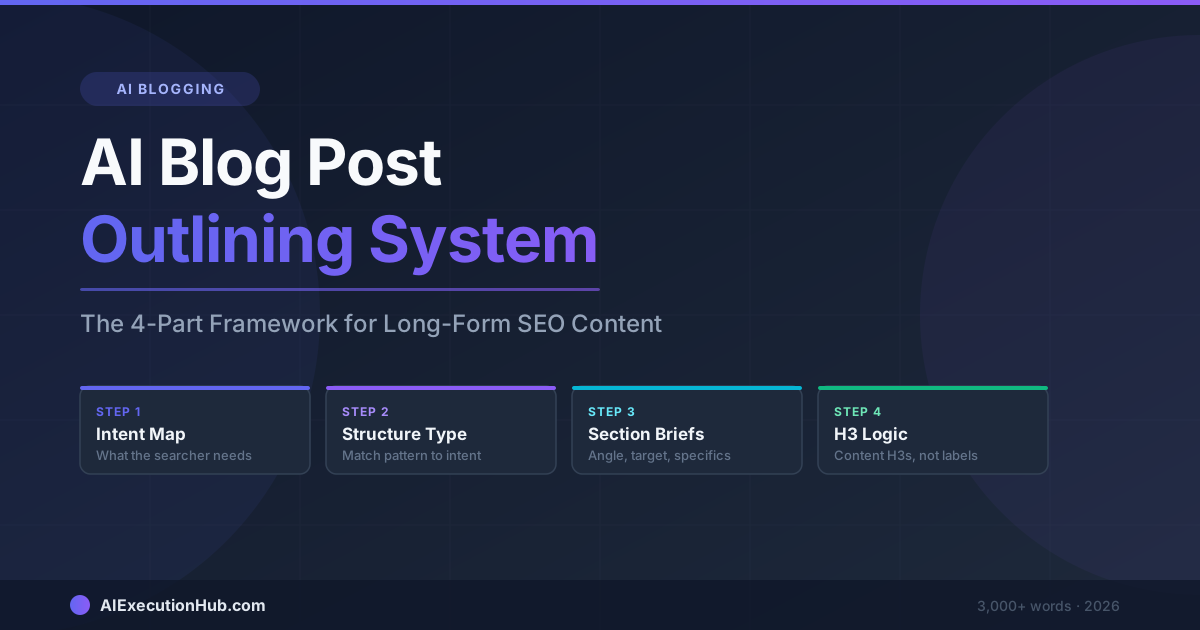
AI Blog Post Outlining System: The 4-Part Framework for Long-Form SEO Content
A practical AI blog post outlining system that structures long-form SEO content before drafting — 4 steps from keyword intent to section briefs that write themselves.
AI Content Calendar for Niche Sites: A Practical Planning System
Build an AI content calendar for your niche site — keyword clustering, publishing cadence, seasonal timing, and a repeatable monthly planning system.
How to Humanize AI Content for SEO
Learn how to humanize AI content for SEO with a practical editing workflow that satisfies Google's helpful content signal — no bypass tools needed.