Pinterest Traffic
AI Pinterest Pin Description Template: Copy-Paste Formulas + Prompt (2026)
Write Pinterest pin descriptions with AI using a copy-paste template, four content-type formulas, a reusable prompt, and a human edit checklist.
Most AI-generated Pinterest pin descriptions have the same problem. They sound like a press release written for no one in particular. They make claims without specifics. They end with a call to action that could belong to any pin ever made.
The issue is not AI. The issue is the input. Vague prompts produce vague copy. A structured template gives AI the constraints it needs to produce something actually useful — and gives you something worth editing rather than rewriting.
This guide is the template. It covers the five-part description framework, four content-type formulas, a reusable AI prompt you can adapt to any article or product, and the 30-second human edit that removes the AI tells every time.
If you have already read The Pinterest Traffic Engine for AI Creators, this post is the tactical companion to the description section in that guide. The engine shows you the full system. This post gives you the exact copy layer.
Quick answer: what is the AI Pinterest pin description template?
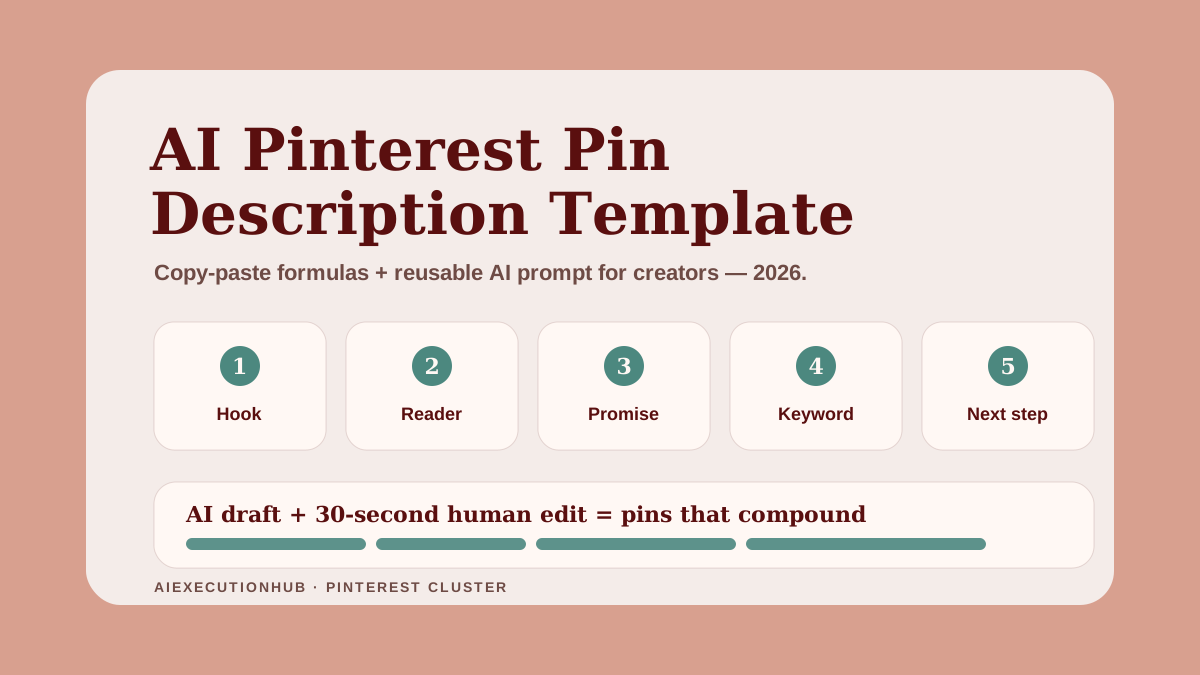
The template is a five-part structure: Hook (who this is for or what problem it solves), Reader (one-line profile of the person who should save this), Promise (what they will learn or get), Keyword (the natural phrase that matches what they searched), and Next Step (where to go after clicking). Combine those five inputs in a prompt and AI produces a description worth editing in under 30 seconds.
Why Pinterest pin descriptions still matter in 2026
Pinterest is a search engine. That has been true for a long time. What changed in 2025–2026 is that Pinterest's algorithm reads more of the signal stack than it used to — image alt text, title, description, board context, destination page metadata, and engagement velocity all feed the ranking model together.
Pin descriptions no longer work as a standalone SEO lever. They work as one layer inside a connected signal. But that makes them more important, not less. A strong description improves relevance matching, increases save rates from readers who read before they click, and tells Pinterest's system exactly what the destination content delivers.
The creators who treat descriptions as an afterthought — "written in 10 seconds before scheduling" — leave a meaningful ranking signal unused. The ones who batch five keyword-grounded variants per article and run a human edit before publishing rank faster and compound more saves over time.
Two facts worth knowing before you write another description:
- Pinterest shows ~50–75 characters before truncation in most feed views. Everything after that is "more" content — still indexed, still ranking, but not visible on first scroll.
- Keywords in descriptions are weighted contextually, not by position alone. A keyword jammed into the first three words but surrounded by filler phrases performs worse than the same keyword placed naturally mid-sentence in a clear description.
Neither of those facts requires a new tool. They require a better input to the tool you already have.
The 5-part description framework
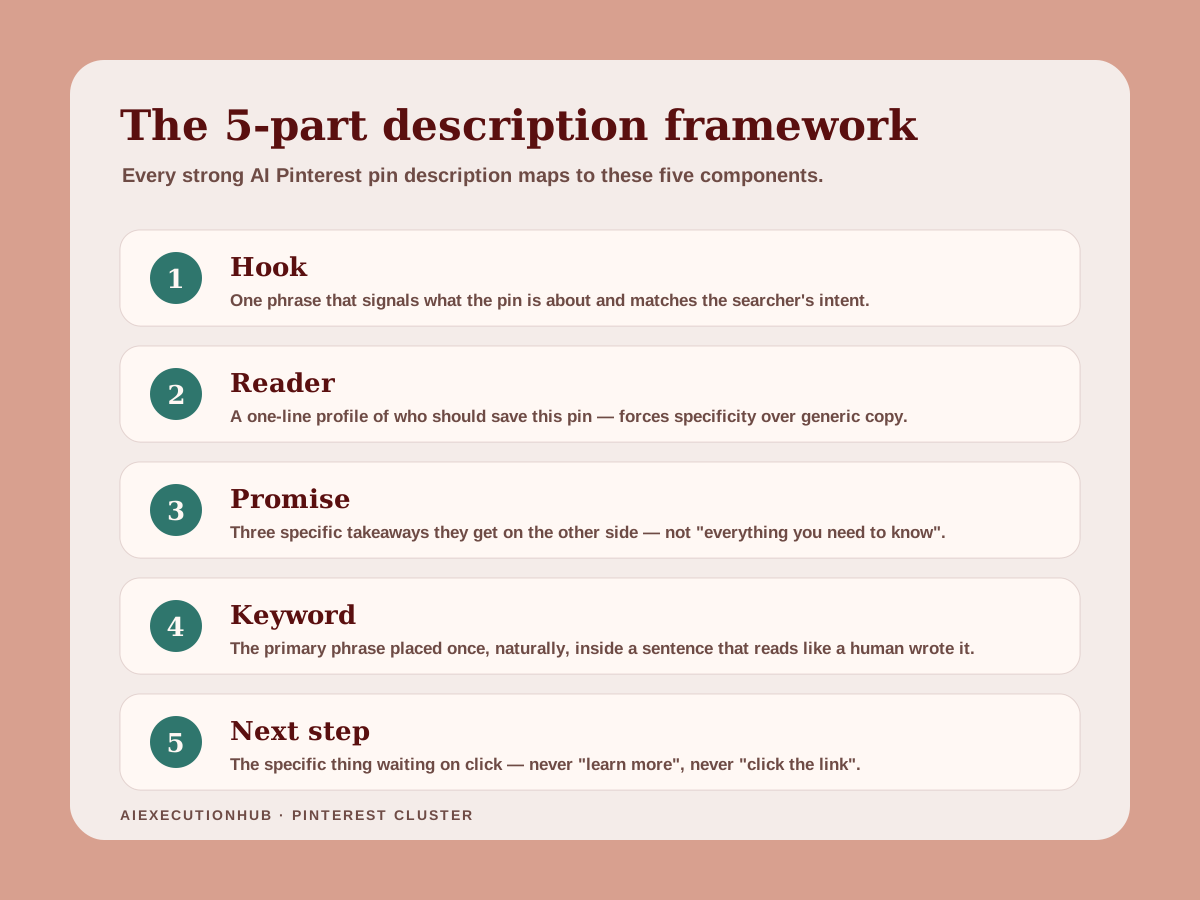
Every effective Pinterest pin description — AI-assisted or written by hand — maps to five components. You do not need all five in every description. But knowing where each component lives tells you which ones to include for a specific content type.
1. Hook
One phrase that signals what the pin is about and who it is for. It does not need to be a question. It does not need to be a headline. It needs to match the intent of someone who searched the primary keyword.
Weak hook: "You need to know this about AI blogging."
Strong hook: "AI bloggers who want consistent Pinterest traffic need a repeatable description system."
The weak version makes a vague claim. The strong version names the reader and the outcome in the same sentence.
2. Reader
A one-line profile of the person who should save this pin. This can be implicit (woven into the hook) or explicit ("If you are building an AI content workflow..."). The reader component prevents generic copy because it forces specificity about who the content is actually for.
3. Promise
What the reader will learn, get, or be able to do after clicking through. Three takeaways is the reliable target. "What to write, how to format it, and how to avoid the mistakes that hurt reach" is a promise. "Everything you need to know about Pinterest" is not.
4. Keyword
The primary keyword placed naturally — not at the very start and not at the very end as a tag. Pinterest reads copy contextually. The keyword needs to appear in a sentence that makes sense without it being there for SEO reasons.
5. Next step
Where to go after clicking. This is the most consistently skipped component in AI-generated descriptions. "Read more on the blog" is not a next step. "Get the copy-paste template and the AI prompt at the link" is a next step. It tells the reader what they will find and why it is worth clicking through.
Step-by-step workflow: from one blog post to five description variants
This workflow takes roughly 15–20 minutes for a full batch of five variants per article. Run it once per published post, then repeat when you add new pins to existing content.
Step 1 — Identify the primary keyword. This is the phrase a reader types into Pinterest search to find content like yours. It should already live in your post title and H1. If it does not, fix the post first.
Step 2 — Write three takeaways the article delivers. Concrete, specific, scannable. "How to structure a description prompt", "four formula templates by content type", "the human edit checklist" — not "tips for writing better descriptions".
Step 3 — Identify the next step. Is the reader going to read the article? Download a resource? Click through to an ebook landing page? Name it specifically. "Get the copy-paste template" is more useful than "learn more".
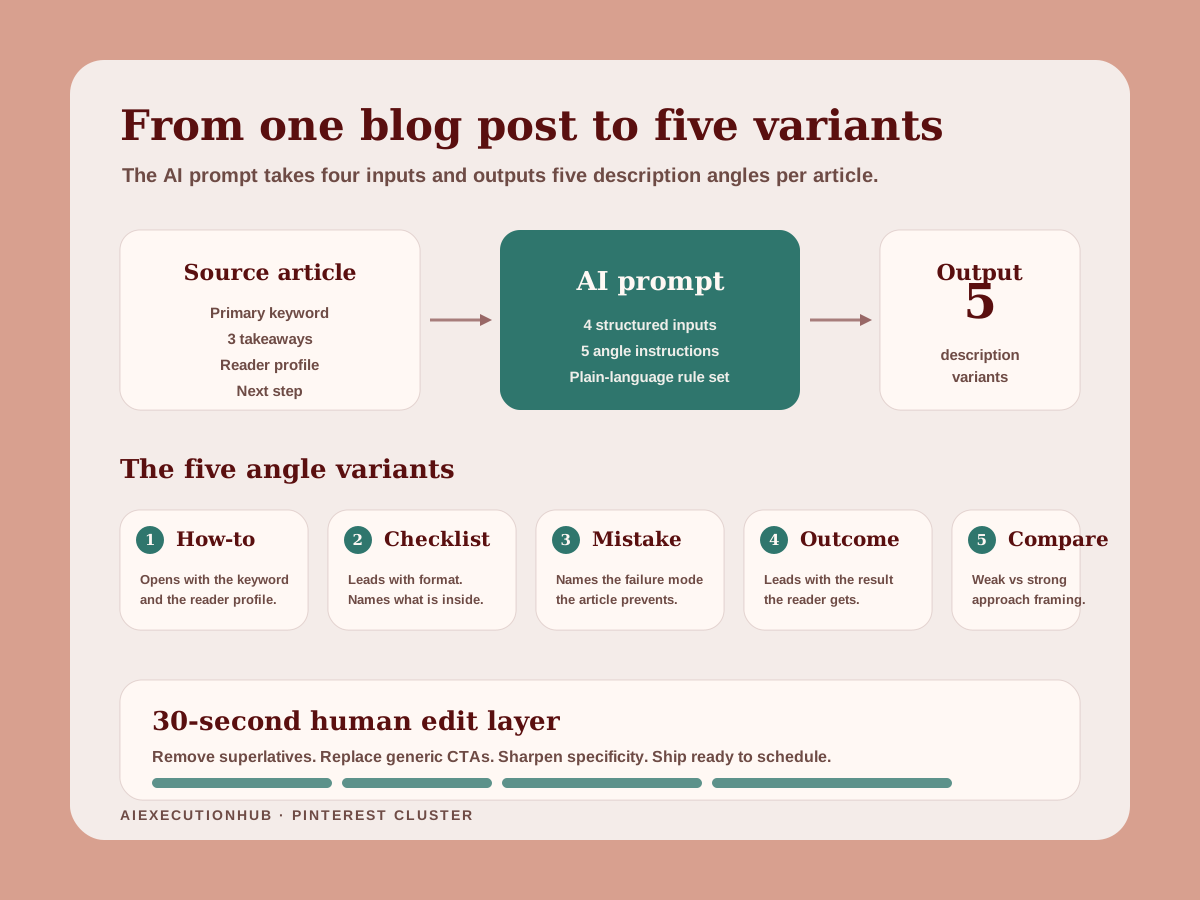
Step 4 — Pick five angles. Each variant leads with a different framing: how-to, checklist, mistake, outcome, or comparison. The reader, promise, keyword, and next step stay consistent. Only the opening hook changes.
Step 5 — Run the AI prompt (see the dedicated section below) with those four inputs populated. Generate all five variants in one pass.
Step 6 — Human edit. Read each variant out loud. Remove any sentence that sounds like an ad. Replace vague benefit phrases with the specific takeaway. Confirm the next step is named clearly. Done in under two minutes for the full batch.
Step 7 — Schedule in batches. Pin one variant per week per article. Track which angle drives the most saves at the 30-day mark, then replicate that structure for future batches.
Template comparison by content type
Different content types need slightly different description structures. The table below maps each type to its most effective variant.
| Content type | Lead with | Promise format | Next step |
|---|---|---|---|
| Blog post / guide | Primary keyword + who it's for | 2–3 specific takeaways | "Get the full guide at the link" |
| Checklist / freebie | Reader problem + what they get | Format ("a 12-item checklist that covers...") | "Download free at the link" |
| Digital product / ebook | Outcome the product delivers | 2 specific results + format | "See what's inside at the link" |
| Lead magnet | Pain point + specific solution | What the resource contains | "Grab the free [resource name]" |
| Listicle / round-up | Number + topic | What the list helps them decide | "Full breakdown at the link" |
The "next step" column matters most. It is the only column most AI tools consistently get wrong because they default to vague CTAs written for nobody.
Four copy-paste formula templates
Use these as fill-in-the-blank starting points. Edit before publishing — they are designed to be faster than starting from scratch, not to go live unedited.
Formula 1 — Blog post / guide
[Primary keyword] is [specific context]. If you are [reader profile], this guide covers [takeaway 1], [takeaway 2], and [takeaway 3]. Get the full walkthrough at the link.
Example:
AI Pinterest pin descriptions are one of the most skipped SEO levers for creators. If you are building a Pinterest traffic system for your blog, this guide covers the five-part description framework, four content-type formulas, and the AI prompt that batches five variants in one pass. Full walkthrough at the link.
Formula 2 — Checklist / freebie
Struggling with [specific pain point]? This [format] covers [what it includes] — designed for [reader profile] who want [outcome] without [frustration to avoid].
Example:
Struggling to write pin descriptions that sound like a real person wrote them? This checklist covers the 30-second human edit that removes AI tells from every description — designed for AI creators who want searchable pins without spending an hour per batch.
Formula 3 — Digital product / ebook
[Reader profile] who want [outcome] use [product name] to [specific result]. The [format] covers [topic 1], [topic 2], and [topic 3]. See what's inside at the link.
Example:
Beginners who want to make their first income online use the First $100 With AI ebook to go from idea to first sale. The 98-page guide covers AI side hustle selection, a repeatable content system, and 30 copy-paste prompts. See what's inside at the link.
Formula 4 — Lead magnet
Free [resource type]: [what it contains] for [reader profile]. Covers [specific topic 1], [specific topic 2], and [specific topic 3]. No signup fee — grab it at the link.
Example:
Free Pinterest + Blog System Starter: a workflow template for AI creators building a Pinterest content engine. Covers board strategy, pin batching, and a publishing cadence you can maintain with two hours per week. Free to download at the link.
Each formula has three things in common: specificity over generality, a named next step, and no sentences that exist purely to fill space.
The reusable AI prompt for batch description generation
This prompt generates five variants in one pass. Copy it, fill in the four bracketed inputs, and run it in whatever AI assistant you use.
You are writing Pinterest pin descriptions for a blog post.

Reader profile: [one sentence — who is this person, what are they trying to do]
Primary keyword: [the exact phrase they would type into Pinterest search]
Three takeaways this article delivers: [specific 1], [specific 2], [specific 3]
Next step at the destination: [what they will find and do when they click through]

Write five pin description variants. Each variant should:
- Open with a different angle: how-to, checklist, mistake, outcome, comparison
- Be 2–3 short sentences, 150–400 characters total
- Use the primary keyword naturally in one of the sentences (not stuffed at the start)
- Name who the content is for somewhere in the description
- End with the specific next step — not "learn more", not "click the link"
- Use plain language — no superlatives, no hype, no "you won't believe"
- No hashtags

Do not explain the variants. Output the five descriptions with a label (Angle: how-to, etc.) above each one.
The prompt works because it gives AI four constraints that force specificity: the reader, the keyword, the real takeaways, and the real next step. Remove any one of those inputs and the output reverts to generic marketing copy.
For other reusable prompt structures across briefs, outlines, and repurposing tasks, the prompt library is the fastest starting point. The Blog + Pinterest Content Map prompt in particular pairs well with this description workflow.
The human edit layer
AI descriptions that go live unedited share a recognizable fingerprint: vague benefit claims, superlative adjectives, calls to action that could belong to any content ever made. The human edit layer takes those out.
Run this 30-second check on every variant before scheduling:
Remove vague benefit claims. "Transform your Pinterest strategy" → delete the whole sentence or replace with the specific thing the content teaches.
Remove superlatives. "Perfect for", "ultimate", "game-changing" → remove entirely or replace with the specific outcome.
Replace generic CTAs. "Click the link to learn more" → "Get the [specific resource/guide/template] at the link."
Read the first sentence out loud. If it could apply to any content on Pinterest, rewrite it to name a specific reader or a specific problem.
Check that the keyword appears naturally. If it reads like it was inserted, restructure the sentence until the keyword fits without sounding placed.
Five variants, 30 seconds each, is 2.5 minutes of editing for a full batch. That is the gap between descriptions that compound saves over six months and ones that sit with three views.
Character limits, keyword placement, and SEO rules for 2026
Pinterest allows up to 500 characters in pin descriptions. The algorithm indexes the full text. The feed shows roughly 50–75 characters before a "more" truncation in most views.
Practical targets by use case:
| Goal | Target length | Why |
|---|---|---|
| Save-optimized (casual feed scroll) | 100–150 characters | Full text visible, instant decision |
| Search-optimized (keyword ranking) | 200–400 characters | More surface area for keyword context |
| Product/ebook pin | 250–400 characters | Promise + next step need space to be specific |
| Freebie/lead magnet | 150–250 characters | Short, direct, offer-first |
Keyword placement rules:
- Primary keyword: appear once, naturally, in the first or second sentence
- Secondary keyword: once in the body if it fits — skip it if it requires contorting the sentence
- No keyword at the very end as a tag (treated like spam, not like SEO)
- No keyword stacking: "Pinterest pin description template Pinterest SEO Pinterest keywords" is a spam signal
What Pinterest's algorithm rewards in 2026:
- Descriptions that match the topic of the destination page (crawled via Rich Pins / Open Graph)
- High save-to-impression ratios (readers who read the description then save)
- Low bounce rates on the destination (not a pure description metric, but the full funnel matters)
- Descriptions that share keyword context with the board the pin is saved to
That last point is worth acting on: pin the same URL to multiple topically relevant boards with different description variants. A how-to variant on a "Pinterest SEO tips" board. A checklist variant on a "AI content tools" board. Same destination, different context signals.
For a full system that connects board strategy, pin batching, and publishing cadence, the Pinterest + Blog System Starter resource walks through the complete setup.
Pre-publish checklist
Copy and use this before scheduling any batch of descriptions.
Description quality:
- First sentence names the reader or the problem (not a generic hook)
- Primary keyword appears naturally — once, not stuffed
- Promise names 2–3 specific takeaways (not "everything you need to know")
- Next step is specific: names what they get, not just "learn more"
- No superlatives: "perfect for", "ultimate", "game-changing" removed
- No hashtags (or maximum one topical tag if niche-specific)
- 150–400 characters depending on goal (checked with a character counter)
SEO + context:
- Keyword matches the board name the pin will be saved to
- Description matches the topic of the destination page (no bait-and-switch)
- Rich Pins enabled on the domain (Open Graph tags confirmed)
- Pin title and description use different phrasings of the same keyword (not copy-paste)
Variant hygiene:
- At least 3 variants written per article (5 is better)
- Each variant opens with a different angle
- No two variants use the identical opening sentence
Common mistakes that hurt pin reach
Writing the description for the algorithm, not the reader. Keyword lists formatted as sentences are readable by no one and penalized by Pinterest's spam detection. Write for the person first. If the description would make a human save, it will also satisfy the algorithm.
Skipping the next step. "Read my blog post about Pinterest SEO" tells the reader nothing about what the post contains or why it is worth their time. Name the specific thing waiting for them on the other side of the click.
Using the same description for every pin on an article. Pinterest suppresses repeated content from the same domain. Five variants per article, each opening with a different angle, prevents suppression and gives you data on which framing your audience responds to.
Treating AI output as final. This is the most common failure mode. The prompt in this guide produces a usable draft, not a publishable description. The human edit layer exists because AI defaults to patterns that signal "marketing content" rather than "genuinely useful pin". A 30-second edit changes that.
Ignoring the destination page context. Pinterest crawls destination pages. A description that says "get the beginner AI blogging guide" but lands on a product checkout page creates a mismatch signal. The description must accurately reflect what the reader finds when they click.
Front-loading keywords unnaturally. "AI Pinterest pin description template 2026 free download beginner guide" as an opening reads as spam. The algorithm catches it. The reader does too. Natural placement in a clear sentence outperforms aggressive front-loading every time.
Example workflow: one blog post → five live-ready descriptions
Using this post as the subject.
Inputs:
- Reader: AI creator building a Pinterest traffic system who wants more saves and click-throughs
- Primary keyword: AI Pinterest pin description template
- Takeaways: five-part framework, four formula templates, reusable AI prompt
- Next step: get the copy-paste templates and the AI prompt at the link
The five variants after AI draft + human edit:
Angle: How-to
AI Pinterest pin descriptions that actually rank need a structure behind them. This guide covers the five-part framework, four copy-paste formula templates by content type, and the AI prompt that batches five variants in one pass. Get the templates at the link.
Angle: Checklist
Before you schedule another pin batch: run the 30-second human edit checklist in this guide. It removes the AI tells that make descriptions sound generic and replaces vague CTAs with a specific next step. Full checklist at the link.
Angle: Mistake
Most AI-generated pin descriptions skip the next step entirely — and that is why they do not convert. This guide shows what a complete AI Pinterest pin description template looks like and how to batch five variants per article without writing each one from scratch.
Angle: Outcome
AI creators who batch five description variants per article and run a human edit before scheduling see compounding saves over 30–60 days. Here is the exact template and AI prompt to build that system. Copy-paste templates at the link.
Angle: Comparison
Generic AI descriptions vs. structured ones: the difference is four inputs. Reader. Keyword. Three takeaways. Specific next step. This guide gives you the AI prompt that uses those four inputs and the formulas for four different content types. Full system at the link.
Five variants, one source, different audience entry points. That is the output of the workflow above applied to a real article in under 20 minutes.
FAQ
What should I include in a Pinterest pin description?
A strong pin description includes a hook or reader identifier, a clear promise of what they will learn or get, one or two natural keywords, and a next step that tells them where to go. Keep it 2–3 short sentences, no hashtags unless you verify they help for your niche.
How long should a Pinterest pin description be?
The sweet spot is 100–200 characters for save-optimized pins and 200–400 characters for search-optimized ones. Pinterest displays roughly 50–75 characters before truncation in feed views, so lead with the most important information. Never pad to hit a character count — usefulness matters more than length.
Can AI write good Pinterest pin descriptions?
AI can produce a solid first draft in seconds, but unedited output tends to sound generic, overuse superlatives, and miss the specific angle that makes a reader save or click. The workflow that works is AI draft, then a 30-second human edit to sharpen specificity, remove filler, and add the real next step.
Do Pinterest pin descriptions need hashtags?
Pinterest de-emphasized hashtags significantly after 2021 and most current guides recommend skipping them or using one topical tag at most. Keywords embedded naturally in the description text perform better than hashtags appended at the end.
How do you use keywords in Pinterest descriptions?
Place the primary keyword in the first or second sentence naturally. Use one secondary keyword in the body if it fits. Skip any keyword that requires contorting the sentence. Pinterest reads descriptions like a search engine reads page copy — keyword-stuffed descriptions are penalized the same way keyword-stuffed web pages are.
What's the best AI prompt for writing Pinterest pin descriptions?
The most reliable structure gives AI four inputs: the reader profile, the primary keyword, the three takeaways the destination content delivers, and the next step on your site. Any prompt missing one of those inputs produces a vague output that costs more time to fix than if you wrote the description yourself.
How many description variants should I write per pin?
Three to five variants per article is a practical target. Each variant leads with a different angle — how-to, checklist, mistake, comparison, or outcome — so you can test which intent cluster drives the most saves over 30–60 days.
Why do AI-generated pin descriptions sound spammy?
AI defaults to patterns from mediocre marketing copy: generic benefit claims, vague CTAs, and filler phrases like "perfect for anyone who". The fix is a prompt that forces specificity — real reader, real keyword, real next step — and a brief human edit to remove phrases that read like a banner ad.
What to do next
The system for writing AI Pinterest pin descriptions comes down to four things: a structured prompt, five angle variants per article, a 30-second human edit, and a pre-publish checklist to catch what the edit misses.
That is the copy layer. The wider system — board strategy, keyword clusters, publishing cadence, and traffic analytics — is in The Pinterest Traffic Engine for AI Creators.
If you want the full workflow from content idea to live blog post to pinned traffic, the AI content workflow for beginners covers the complete publishing system that feeds your pin batches.
For a ready-to-use board and batching framework, the Pinterest + Blog System Starter is the companion resource to this post.
And if you are building the income layer on top of the traffic — using Pinterest to drive readers to a digital product or ebook — First $100 With AI is the guide that connects the two.
Related AI systems
Continue with connected AI workflow guides.
AI Blog Post Outlining System: The 4-Part Framework for Long-Form SEO Content
A practical AI blog post outlining system that structures long-form SEO content before drafting — 4 steps from keyword intent to section briefs that write themselves.
Claude vs ChatGPT for SEO Blogging: A Task-by-Task Verdict
Claude vs ChatGPT for SEO blogging — a task-by-task breakdown of which AI wins for outlines, meta descriptions, tone editing, internal linking, and more.
AI Content Calendar for Niche Sites: A Practical Planning System
Build an AI content calendar for your niche site — keyword clustering, publishing cadence, seasonal timing, and a repeatable monthly planning system.