Pinterest Traffic
The Pinterest Traffic Engine for AI Creators
A complete Pinterest traffic engine for AI creators — keyword clusters, AI pin generation, board strategy, publishing cadence, analytics, and monetization funnel.
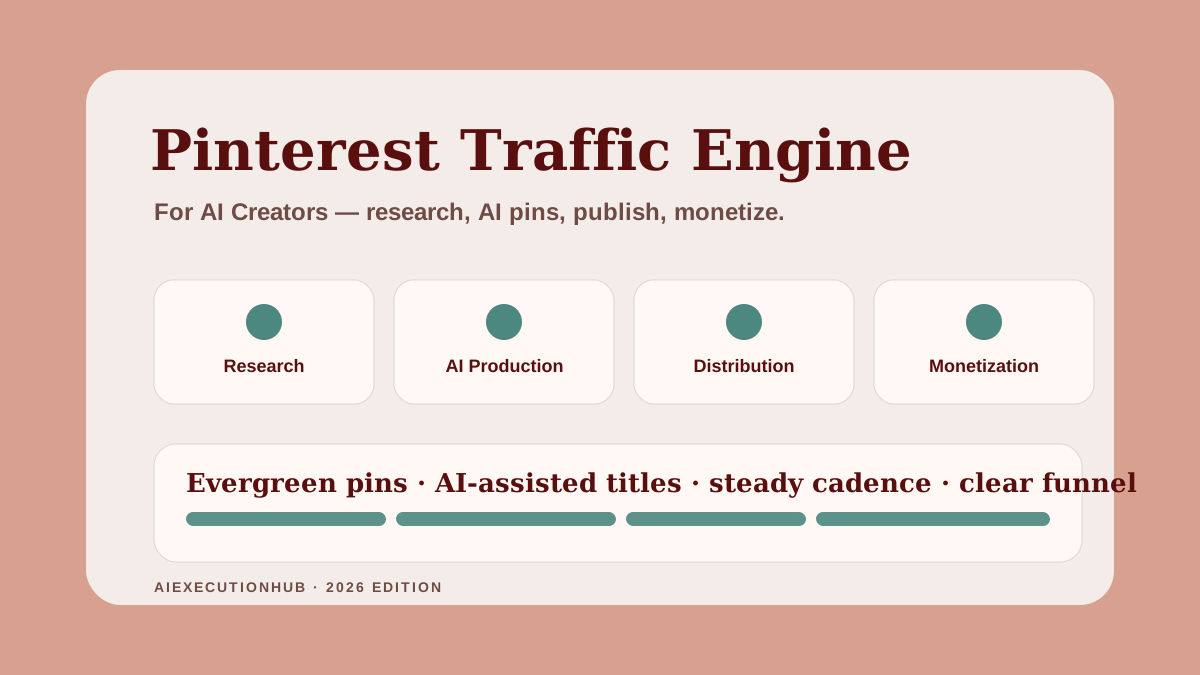
Most AI creators are stuck on platforms where content has a shelf-life of hours. A great post on a fast-moving feed disappears the same day. The next post has to start from zero.
Pinterest behaves differently. It is a visual search engine. A useful pin can drive clicks weeks, months, or years after it was published — but only if it sits inside a system, not a calendar.
This guide walks through the complete Pinterest Traffic Engine for AI creators. It covers keyword clusters, board structure, AI-assisted pin production, publishing cadence, analytics, and the monetization funnel — written for AI creators broadly, not just bloggers.
If you publish AI tutorials, prompt packs, templates, ebooks, newsletters, courses, or niche-site articles, the engine is the same. Only the destination changes.
Quick answer: what is a Pinterest Traffic Engine?
A Pinterest Traffic Engine is a repeatable system that links keyword research, board clusters, AI-assisted pin production, scheduled publishing, analytics, and a clear monetization funnel. Each piece feeds the next. The point is compounding — every pin you publish makes the next pin easier to rank and more likely to convert.
For an AI creator, the engine turns each article, prompt, product, or resource into a long-tail traffic asset.
Why Pinterest still works for AI creators in 2026
Three things have made Pinterest a quietly strong channel for AI creators this year.
It rewards evergreen, educational content. Pinterest is built around saves, not reactions. Save-worthy content matches exactly what AI creators publish — workflows, prompt packs, comparison tables, beginner guides, idea maps. Useful beats viral here.
It behaves like a search engine. Users type queries, scroll results, and click into content. That is closer to Google than to a social feed. Good SEO behavior — clear titles, intent-matching descriptions, structured topics — works on both platforms.
It has lower competition for AI-related queries. Many AI creators publish only on YouTube, X, and LinkedIn. Pinterest boards covering "AI prompts," "AI workflows," "ChatGPT side hustles," and "AI tools for beginners" are still claimable for creators who publish consistently.
The combination matters: a platform that rewards usefulness, behaves like search, and is undersupplied for your topic.
The Pinterest Traffic Engine framework
The engine has 14 stages grouped into 4 phases. Each phase has a clear job.
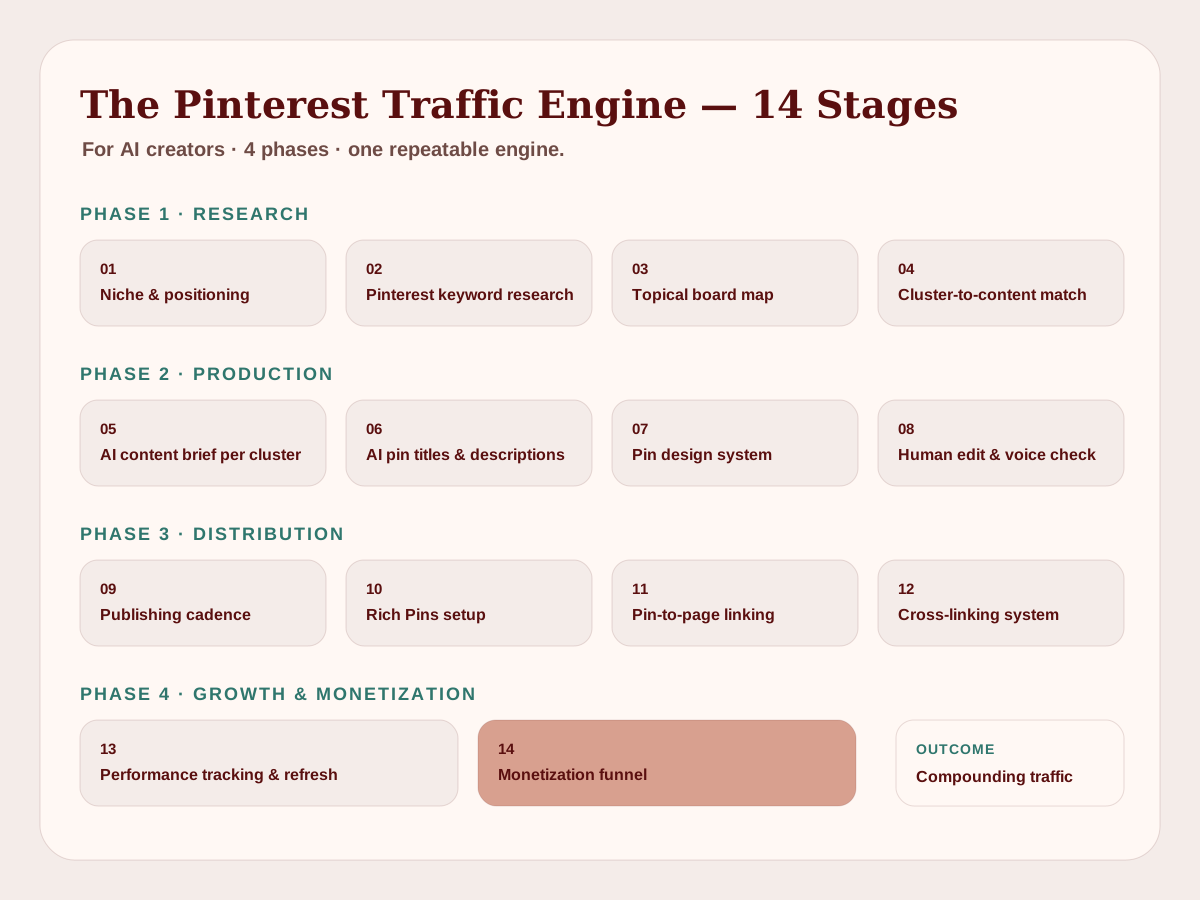
Phase 1 — Research
- Niche and creator positioning. What you make, who it is for, what you want them to do next. Example: "Practical AI workflows for beginner creators who want to publish faster."
- Pinterest keyword research. Pinterest Trends, autocomplete, and search bar suggestions. Not Google volume — Pinterest behavior. Example: "AI side hustles" autocomplete branches into "for beginners," "from home," "with ChatGPT."
- Topical board map. One board per keyword cluster, not one board per random idea. Example boards: "AI Workflows," "AI Side Hustles," "Pinterest for Creators," "Prompt Templates."
- Cluster-to-content matching. Each cluster maps to an article, resource, product, or landing page. If no asset exists, build it first.
Phase 2 — Production
- AI content brief per cluster. What the article, resource, or product must answer. Example: reader, primary keyword, outline, internal links, CTA path, monetization angle.
- AI-assisted pin titles and descriptions. Multiple angles per asset — how-to, checklist, mistake, comparison, list.
- Pin design system. Templates, fonts, palette, photo treatment — reused, not reinvented. Three to five templates is enough for a year.
- Human edit and brand voice check. Always. Especially for descriptions. AI drafts feel generic until a human edit removes the AI tells.
Phase 3 — Distribution
- Publishing cadence. Daily or near-daily, small batches, mixed across boards. Steady drip beats weekly bulk dumps.
- Rich Pins setup. Article metadata pulled into the pin automatically — title, description, favicon. Enable once per domain.
- Internal linking from each pin to the right next step. Pin to article, never pin to homepage.
- Cross-linking pins, articles, and resources back to each other. Articles link to resources, resources reference related articles, related pins share boards.
Phase 4 — Growth and monetization
- Performance tracking and refresh. Saves, outbound clicks, top boards, top pins. Refresh top destinations every 60–90 days.
- Monetization funnel. Pin → article → resource → product or email list. Every pin must end somewhere that earns the click.
This is the engine. Everything else is variation on it.
Monetization funnel mapping
The funnel only works if each step has a clear job.
| Funnel stage | What it does | What it must NOT do |
|---|---|---|
| Pin | Earn the save and the click with a specific promise | Tease without a destination, or send to a generic page |
| Article | Deliver the promised value in full | Bury the lead under intros, or ask for the email above the fold |
| Resource | Give a practical next step that proves usefulness | Gate the resource behind unnecessary friction |
| Product or email | Convert intent that the article and resource already built | Be the first thing a Pinterest visitor sees |
Skipping any stage breaks the engine. Most creators who say "Pinterest does not convert" are missing the article or resource layer entirely.
The best Pinterest workflow for AI creators
The framework above is the map. Here is the workflow that runs it.
- Pick one keyword cluster from your map.
- Confirm the cluster has a matching article, resource, or product on your site. If not, build that first.
- Use AI to draft five pin title angles for that asset — how-to, checklist, mistakes, comparison, list.
- Use AI to draft five descriptions, each matching the intent of one title angle.
- Run a human edit pass. Cut hype, confirm accuracy, match brand voice.
- Produce five pin designs from your template system. Same fonts, same palette, different angles.
- Schedule the pins across two to five days. Do not dump them all at once.
- Check saves and outbound clicks after seven days.
- Promote the top-performing angle into more variations next week.
Run this loop once a week. After eight to twelve weeks, you have a working engine with data to compound.
For the broader publishing process behind these articles — keyword research, briefs, drafting, editing, schema, and refresh — pair this with the Ultimate AI Blogging System.
Recommended AI + Pinterest tool stack
You do not need a complicated stack. You need a small set of tools used consistently.
| Stage | Tool category | What it does for the engine |
|---|---|---|
| Keyword research | Pinterest Trends + Pinterest search autocomplete | Real Pinterest demand signal, not Google estimates |
| Cluster + brief | General AI assistant | Group queries, draft briefs, suggest angles |
| Article / resource | CMS or static site | Where every pin actually lands |
| Pin titles + descriptions | AI assistant | Multiple angles per asset, fast |
| Pin design | Template-based design tool | Reusable layouts and brand consistency |
| Publishing | Native Pinterest scheduler | Free, reliable, no third-party reliance |
| Analytics | Pinterest Analytics + Search Console | Saves, outbound clicks, landing-page behavior |
| Monetization | Email + product platform | Where attention becomes revenue |
The best tools are the ones you actually open every week. Picking a beginner-friendly stack matters more than picking the trendiest one — the best AI tools for beginners guide walks through that anchor choice.
AI-assisted keyword and board clustering
Most Pinterest accounts fail because the board map was guessed, not researched.
A better approach:
- List 5–10 seed topics tied to what you sell or publish.
- Expand each seed using Pinterest's own search bar — type the seed and record the autocomplete suggestions.
- Cross-check with Pinterest Trends to see which expansions are stable, not seasonal one-offs.
- Group the expansions into 3–8 clusters per seed.
- Each cluster becomes one board on your profile.
- Each board gets one anchor asset on your site.
AI helps cluster fast. Drop the raw autocomplete list into an AI assistant and ask it to group by reader intent, format (how-to, list, comparison, mistake), and stage (beginner, intermediate, advanced).
The result is a board map that mirrors how readers actually search — not how you assume they search.
For a starter resource that pairs blog posts with Pinterest boards, see the Pinterest + Blog System Starter.
AI pin generation: titles, descriptions, and design briefs
This is where AI saves the most time without compromising quality — if you keep a human in the loop.
Titles
A strong pin title is specific, searchable, and short. Five angles per asset is a good default:
- How-to angle: "How to Build an AI Content Workflow in Seven Steps"
- Checklist angle: "AI Pin Workflow Checklist for Creators"
- Mistakes angle: "Pinterest Mistakes Most AI Creators Make"
- Comparison angle: "AI Pin Generation Tools, Compared"
- List angle: "Eight AI Side Hustles That Sell on Pinterest"
Prompt the assistant with the asset's reader, primary keyword, and a sample of strong existing titles. Reject hype. Reject anything that sounds clever but says nothing.
Descriptions
Pin descriptions should explain who the content is for, what the reader will learn, and why it is worth saving — in plain language. They should not be keyword-stuffed sentences pretending to be sentences.
A good description prompt structure:
- Reader profile (one line)
- Primary keyword (one phrase)
- Three key takeaways the article delivers
- The next step on the site (article, resource, ebook)
Generate three variants per pin and pick the cleanest.
A reusable pin description prompt
A sample prompt you can adapt for any AI assistant:
You are writing a Pinterest pin description. Reader: [one-line profile]. Primary keyword: [phrase]. The destination article delivers: [three takeaways]. The next step on the site is: [article, resource, or product]. Write three description variants, each 2–3 short sentences, using natural language, no hashtags, no hype, no all-caps. Each variant should mention who the content is for, what they will learn, and the next step on the site.
The prompt forces the assistant to ground every description in a real reader, a real keyword, and a real next step — which is exactly what Pinterest's algorithm rewards and what spam descriptions skip.
For the full tactical breakdown — four content-type formulas, a five-part description framework, and the human edit layer that removes AI tells — the AI Pinterest pin description template is the companion guide to this section.
For more reusable prompt structures across briefs, drafts, and pin descriptions, the prompt library is the fastest starting point.
Design briefs
Before you open a design tool, write a one-line brief: title, audience, format, palette, layout reference. AI can draft this brief for you, but the final design lives inside your template system. Reuse layouts. Reuse fonts. Brand recognition compounds.
For a structured prompt approach across briefs, drafts, and pin descriptions, the AI prompt workflow checklist is a good companion.
Publishing cadence and evergreen refresh
Pinterest rewards consistency more than volume.
Cadence rules of thumb:
- One to five fresh pins per day is a realistic creator pace.
- Spread across boards. Do not load one board for a week then ignore it.
- Schedule, do not bulk-publish. Pinterest distribution prefers steady drip.
- Take breaks if you must. A clean restart beats a panic-batch.
Rich Pins setup walkthrough
Rich Pins pull metadata from the destination page directly into the pin — title, description, favicon, and updated date. The pin instantly looks more credible, and the metadata helps Pinterest understand the topic.
A one-time setup:
- Make sure each article on the site has Open Graph and standard meta tags (
og:title,og:description,og:image, plus article schema if available). - Pick one article URL from the site and run it through Pinterest's Rich Pins validator.
- Once validated for one URL on the domain, Rich Pins activate for every URL on that domain automatically.
- Re-validate only if you change site structure or migrate domains.
Most static-site setups handle the metadata at build time without any extra plugin. If a pin looks plain after publish, that is the signal — open the article URL, check the meta tags, fix any missing fields, and re-pin.
Evergreen refresh:
Pins do not need to be reinvented every quarter. They need to be revisited.
- Pull pins with declining saves over 60–90 days.
- Check whether the destination article has been refreshed. If yes, generate a fresh pin pointing to the updated version.
- Test a new angle for top performers. Same article, new title and visual.
- Retire pins that point to outdated or removed content.
The engine compounds because old pins keep working while new pins enter the system. That is the long-tail advantage Pinterest offers AI creators.
The four metrics that actually matter
Most Pinterest analytics dashboards show fifteen numbers. Four of them drive decisions.
| Metric | What it tells you | What to do with it |
|---|---|---|
| Saves | Whether the pin is worth returning to | Saves high, clicks low → improve the title or visual hook |
| Outbound clicks | Whether the pin earned the click | Clicks high, saves low → improve the article or destination |
| Top boards | Which clusters compound fastest | Double down on board topics that drive most traffic |
| Top destination pages | Which assets attract Pinterest readers | Refresh the top 3 monthly; build a sibling for each |
Everything else is noise until the engine is steady. Open analytics weekly, not daily.
Pinterest Traffic Engine checklist
A copy-pasteable checklist by phase. Tick before you publish.
Research
- Niche and creator positioning defined in one sentence
- 5–10 seed topics chosen
- Autocomplete expansions captured per seed
- Pinterest Trends checked for cluster stability
- Topical board map drafted
- Each cluster mapped to an on-site asset
Production
- AI brief written per cluster
- Five pin title angles drafted per asset
- Five descriptions drafted, one per angle
- Human edit pass complete
- Pin designs produced from template system
- Featured image and metadata on the destination article checked
Distribution
- Pins scheduled across 2–5 days, not bulk
- Rich Pins enabled on the site
- Each pin links to the right next step
- Internal links on the destination article confirmed
- Pin titles and descriptions free of hype claims
Growth and monetization
- Saves and outbound clicks reviewed after 7 days
- Top-performing angles tagged for expansion
- Refresh date scheduled for top destination pages
- Funnel from pin → article → resource → product traced end-to-end
- Email or product CTA placed on the destination page
If you cannot tick every box, the pin is not ready. The engine works because the boxes get ticked, not because the calendar gets filled.
Common Pinterest mistakes AI creators make
The mistakes are predictable. Most of them come from treating Pinterest like a social feed.
- Publishing pins before the destination article is strong. A great pin sends qualified traffic to a thin page. The reader bounces, the article does not rank, and Pinterest learns the destination is weak.
- Designing pins that look like AI hype ads. Neon gradients, fake screenshots, and shouting headlines flag the account as low-trust. Educational, clean design wins.
- Targeting Google keywords instead of Pinterest keywords. Pinterest search behavior is shorter, more visual, and more practical. Use Pinterest autocomplete, not Google Search Console.
- Loading 30 pins in one day, then nothing for two weeks. Distribution prefers steady drip. Bulk dumps look like spam and bury your own pins under your own pins.
- Using one board for everything. A single mixed board confuses Pinterest's topical understanding. Each board should anchor one cluster.
- Skipping descriptions or stuffing keywords into them. Empty descriptions waste a ranking signal. Stuffed descriptions trigger spam detection.
- Sending every pin to the homepage. The homepage is not the answer to any search. Always pin to the specific article, resource, or product page.
- Ignoring saves because they do not feel like clicks. Saves are intent. A high-save, low-click pin is telling you the title and image are working but the destination promise is not.
- Treating AI-generated descriptions as final without editing. AI descriptions read fluent but generic. A 30-second human edit removes the AI tells and adds specificity.
- Quitting after 30 days because the curve has not started yet. The engine is slow at first by design. The early weeks build the data and clusters that the later months compound.
Example: a 30-day Pinterest Traffic Engine launch
A realistic month-one plan for an AI creator starting from zero.
Week 1 — Foundation
- Day 1–2: Define niche, positioning, and 5 seed topics.
- Day 3–4: Pinterest autocomplete + Trends research. Build cluster map.
- Day 5–6: Confirm or create one anchor article per top 3 clusters.
- Day 7: Set up Pinterest business profile, claim site, enable Rich Pins.
Week 2 — First production run
- Day 8–9: Choose one cluster. Draft 5 pin titles + 5 descriptions with AI. Human edit.
- Day 10–11: Build pin design templates. Produce 5 pins for cluster one.
- Day 12–14: Schedule 5 pins, one per day, across the right board.
Week 3 — Expansion
- Day 15–16: Pick cluster two. Repeat the production loop.
- Day 17–18: Produce 5 pins for cluster two. Schedule.
- Day 19–21: Add one resource or lead magnet to your top-performing article from week two.
Week 4 — Review and double down
- Day 22–23: Open Pinterest Analytics. Check saves, outbound clicks, top boards.
- Day 24–25: Promote the top angle from week two into 5 new variants.
- Day 26–28: Schedule week-five batch from the strongest cluster.
- Day 29–30: Update the destination article based on what Pinterest traffic actually clicked on.
By day 30, you have 10–20 pins live, two boards seeded, one cluster validated, and the first signal of which angle compounds.
You also have the start of a practical AI income system — because traffic without a funnel is just traffic.
FAQ: The Pinterest Traffic Engine for AI Creators
What is a Pinterest traffic engine?
A Pinterest traffic engine is a repeatable system that connects keyword research, board clusters, AI-assisted pin production, publishing cadence, analytics, and a monetization funnel — so each pin compounds long-term traffic instead of disappearing in a feed.
Does Pinterest still work for AI creators in 2026?
Yes. Pinterest behaves like a visual search engine, which favors evergreen, educational, save-worthy content. That maps well to what AI creators publish — tutorials, prompts, workflows, comparisons, and digital products — giving pins a long discovery shelf-life.
How do AI creators use Pinterest for traffic?
AI creators use Pinterest by mapping keyword clusters to boards, producing multiple pin angles per article or product, using AI to draft titles and descriptions, publishing on a steady cadence, and routing every pin to a clear next step on their site.
Can AI write Pinterest pins?
AI can draft pin titles, descriptions, and design briefs quickly, but a human still picks the angle, checks for accuracy, edits for brand voice, and confirms the destination matches reader intent. AI is the assistant, not the publisher.
How many pins should AI creators publish per day?
Quality over volume. A realistic cadence is one to five fresh pins per day, mixed across boards, with each pin tied to a specific article, resource, or product. Spammy bulk publishing usually hurts distribution.
How do AI creators monetize Pinterest traffic?
Pinterest traffic monetizes through digital products, ebooks, prompt packs, courses, affiliate links, lead magnets, and newsletter signups — once each pin leads to a useful article or resource that earns the click before asking for anything.
Does Pinterest still send traffic to brand new creator sites?
Yes, but slowly. New Pinterest accounts typically take 8–12 weeks of consistent publishing before saves and outbound clicks stabilize. The engine compounds once the board clusters, pin templates, and destination pages are live — which is why the workflow above treats the first month as foundation work, not growth.
Do AI creators need paid Pinterest tools?
Not at the start. The native scheduler, Pinterest Trends, free analytics, a design tool, and a general AI assistant are enough to run the full engine. Paid schedulers and analytics tools become useful only once cadence and clusters are stable.
Final thoughts
The Pinterest Traffic Engine for AI creators is not a clever hack. It is a slow, compounding system — research clusters, AI-assisted production, steady publishing, honest analytics, and a clear funnel.
The creators who win on Pinterest in 2026 are not the loudest. They are the ones whose pins still earn clicks six months after publishing, because each pin sits inside an engine instead of a feed.
If you also want the complete beginner roadmap that turns this engine into a working income system — niche, offer, content workflow, and first sale — get First $100 With AI. It pairs naturally with the Pinterest Traffic Engine: the engine drives the traffic, the roadmap turns the traffic into revenue.
Related AI systems
Continue with connected AI workflow guides.
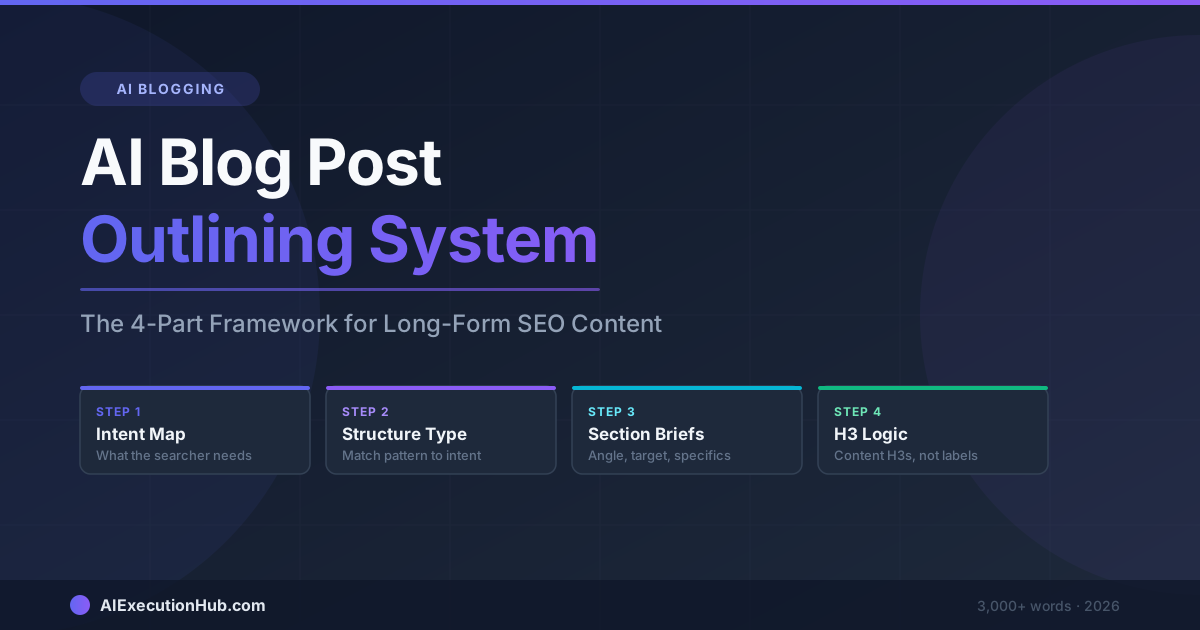
AI Blog Post Outlining System: The 4-Part Framework for Long-Form SEO Content
A practical AI blog post outlining system that structures long-form SEO content before drafting — 4 steps from keyword intent to section briefs that write themselves.
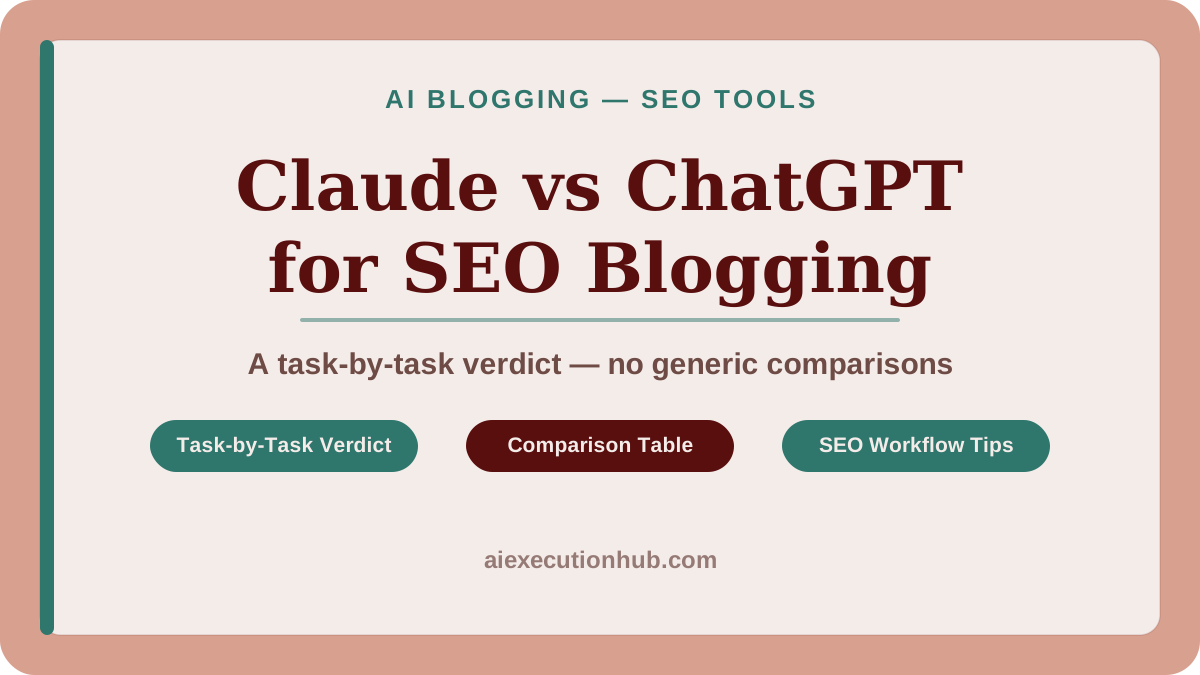
Claude vs ChatGPT for SEO Blogging: A Task-by-Task Verdict
Claude vs ChatGPT for SEO blogging — a task-by-task breakdown of which AI wins for outlines, meta descriptions, tone editing, internal linking, and more.
AI Content Calendar for Niche Sites: A Practical Planning System
Build an AI content calendar for your niche site — keyword clustering, publishing cadence, seasonal timing, and a repeatable monthly planning system.